The HOPEX Information Architecture desktop
Hopex Data Architecture Home Page
The Hopex Data Architecture solution home page consists of the following sections.
• The header presents some information of general interest.
 These can be defined in the Administrator's Administration > Methodological Domains menu.
• Our Objectives: indicates the main strategic themes of interest to solution users.
• Help: points to user documentation and the user community.
• The Quick Access provides useful shortcuts:
• Recently viewed: last objects and diagrams accessed by the user
• Favorites: user favorites and shared favorites
• Actions: quick access to the creation of architecture elements.
• My favorite report: displays the user-defined or administrator-predefined report, which can be used as an entry point into the repository.
Scope Indicators
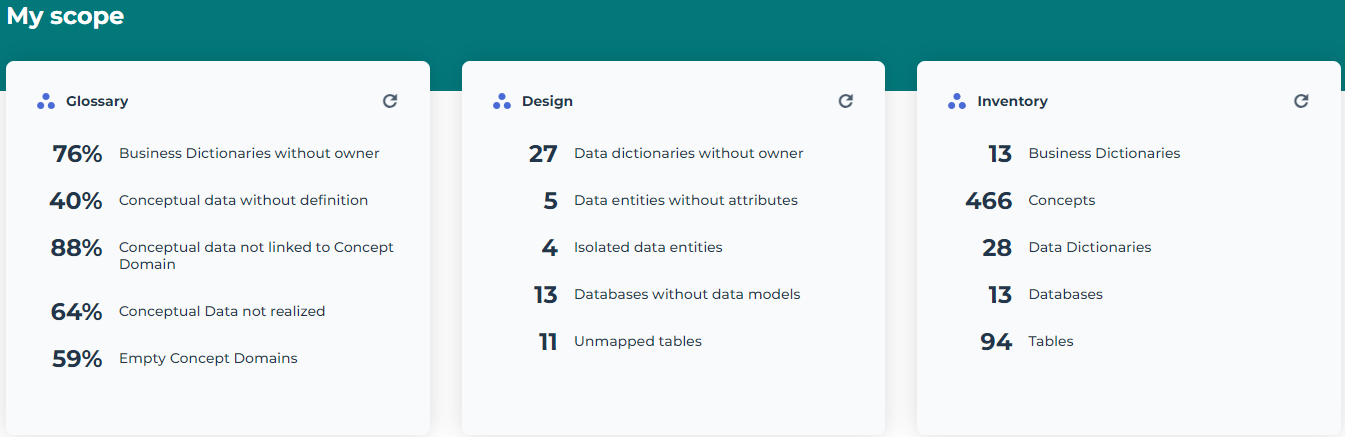
The My Scope section provides useful indicators on application assets. Clicking the indicator takes you to all the corresponding objects. There are three groups of indicators:
• Glossary
• Design
• Inventory
Glossary

Design
Inventory
Displaying the working environment of an enterprise
A repository can be partitioned into Enterprises.
An enterprise is a business project, aiming at delivering goods and services, in accordance with the enterprise mission in its changing environment. The enterprise establishes the enterprise goals to be achieved as well as the strategic action plans used to achieve these goals. It comprises transformation stages in which the capacities or deliverables to be reached are defined.
When associated with a working environment, enterprises are entry points into Hopex Data Architecture; the environment provides privileged access to the objects held and used by the enterprise in question.
Creating an enterprise and its working environment
The creation of an enterprise and its working environment is performed by data functional administrator.
To create an enterprise in Hopex Data Architecture:
1. Click the navigation menu, then Environment.
2. In the navigation pane click Standard Navigation.
3. In the edit area click the Enterprises tile.
4. Click New.
5. In the creation wizard that appears, enter the enterprise name.
6. To create the enterprise environment at the same time, select the "Information Architecture” environment.
7. Click OK.
If no environment was created at the same time as the enterprise, you can create it later.
To assign a working environment to an existing enterprise in Hopex Data Architecture:
1. Select the project or the enterprise concerned to display its properties.
Click the Properties button of the edit area if properties are not displayed.2. Select the Working Environment Assignment page.
3. Click New.
4. Rename if needed the new environment and select the “Information Architecture” type.
5. Click OK.
You can also create the working environment if an enterprise during the enterprise creation. See also: Enterprises and libraries.