Description Reports
The View Report
The view report provides a report on a concept view and its components.
See The View Report.
Glossary Report (Advanced)
Hopex Data Architecture provides a ready-to-use glossary report to automatically build the business glossary of terms derived from a set of Business dictionaries. It groups and defines the business terms of the enterprise through conceptual objects, their properties as well as their relationships.
Access
Report parameters
Report example
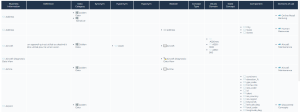
Glossary Report
A simplified glossary report is available in the Enterprise Architect desktop.
See Glossary Report (Advanced) for a general description.
Access
Report parameters
Specificities of the report in the EA desktop
Data Domain Map
On a data map, two report templates allow you to visualize the hierarchy of the domains that make it up.
Data Domain Tree Map Report

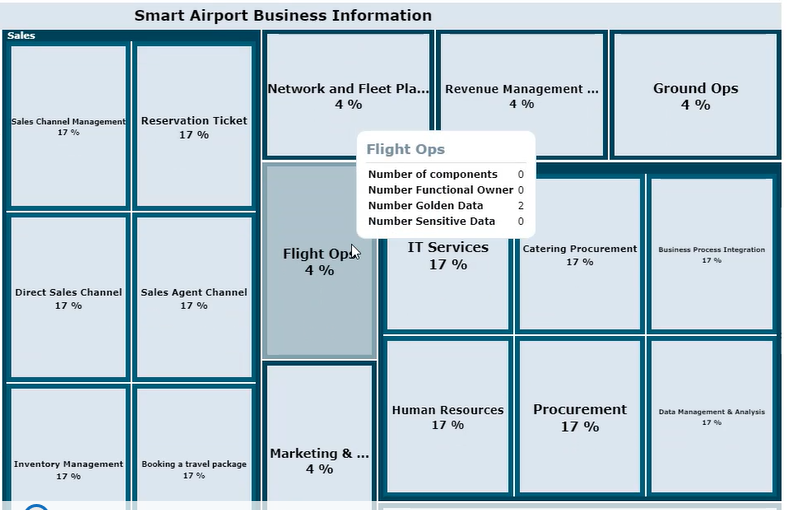
Data Domain Map Breakdown Report
Realization Graph Report
The realization graph shows which architecture elements implement the dictionary elements.
Inter-domain dependencies
Based on a data map, this report presents the structural dependencies of the data used between data domains in the form of a string graph.
It is possible to dive into a data domain and view the dependencies between sub-domains where they exist.
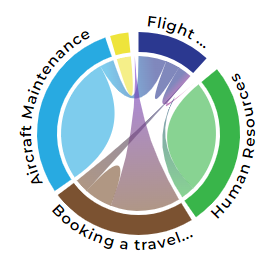
When selecting a domain, its links to other domains are highlighted.
Below you can view the links between the “Maintenance” domain and the “Flight Ops” domain.
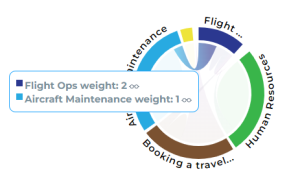
Data Categories Dendrogram
The Data Categories Dendrogram report allows you to visualize where the data of a category is used in the application inventory.
To launch this report:
1. Access data categories through the Dictionaries navigation menu.
2. Open the properties of a data category and in the Reports page, select Data Category Dendrogram.