Mapping Details
Objects with mappings are ticked green. When you select one of these objects, its mapping appears in the mapping properties dialog box located by default at the bottom of the database editor. It groups the names of objects connected in the two formalisms, the object types and comments where applicable.
Mapping example
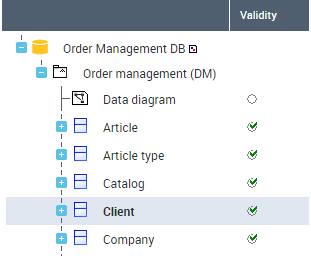

Mapping Properties
To view mapping properties:
1. In the mapping editor, select the mapping item and click Properties.
2. In the window that opens, click the drop down list and select Characteristics.
See also Mapping characteristics.
Mapping Report
In a document you can generate detail of mappings between the two database models. This can be an HTML, text or XML file.
Generating an HTML report
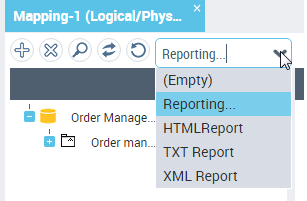
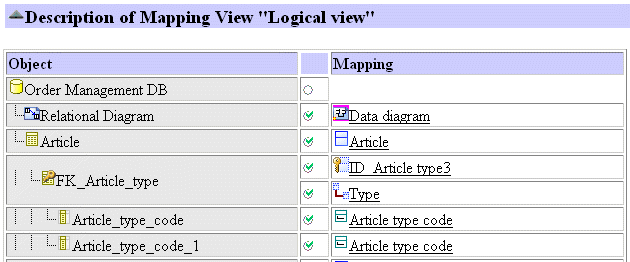
Object status
Indicators enable indication of status of synchronized objects. A filter bar allows you to show all or only certain of these indicators. This bar is available by selecting View > Toolbar in the editor.
Object status can be characterized as:
 Valid
Valid  Invalid (when an object has kept a mapping to an object that no longer exists)
 No mapping
 Frozen (Protected)
 Standard
Saving display of editor indicators
An option allows you to save the status of indicators in the mapping editor. It is specific to the user and the current mapping tree. A user who has selected the indicators display option will automatically find the status of objects in the previously created mapping tree.
The indicators display option of the editor is cleared by default. To activate it:
1. On the desktop, click Main Menu > Settings > Options.
2. In the left pane of the options window, select Mapping Editor.
3. In the right pane, select option Save display of editor indicators.
4. Click OK.
Mapping Source
When you select an object in the editor in one of the formalisms, you can display its mapping in the other formalism.
To display an object mapping:
 In the mapping editor, select the object concerned and click Find.
The editor displays the source object.
Mapping example
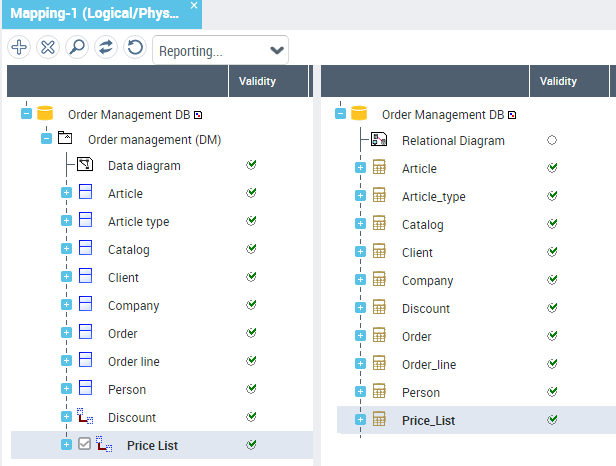
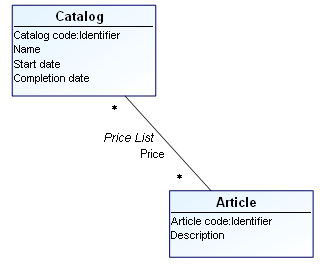
Mapping Drawing
To view the mapping drawing:
In the mapping tree, select the objects concerned.A window appears at the bottom of the editor showing a drawing of objects and their connecting links.