Defining Trigger Actions
An action is triggered if one or more conditions are met.
 See also Defining Trigger Conditions.
You may specify the following actions:
Set Value
The “Set Value” trigger enables you to initialize an answer.
This way you can suggest a default answer. Yet, the respondent can modify this answer.
In the example below, the answer to Question 3 is by default “Pass”.
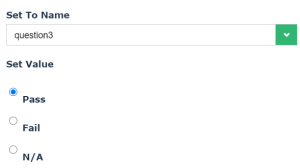 This feature enables to define a default answer depending on specific conditions. To define a default value (with no specific condition), see Defining a Default Value.
Copy Value
“Copy Value” enables to copy the answer to another answer.
In the example below, answer to Question 2 is used to fill in the answer to Question 1.
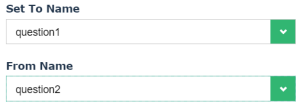 You can copy values only if source and target answers are compatible (for example, you cannot copy the answer of a short answer to a check box).
Run expression
“Run expression” enables to automatically calculate an expression to display the result by default in an answer.
An expression uses possible answers internal values.
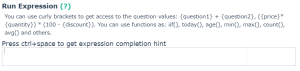
To be able to use a mathematical expression, you must:
• use a question type of the following type:
• Yes/No (boolean)
• Radio button group
• Dropdown
• have integers as possible answers internal values
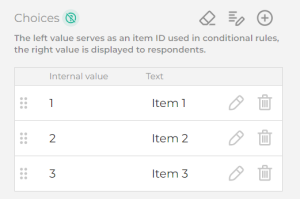 Questions of boolean type have the following internal values:
• 0 = false
• 1 = true
In an expression, you may:
• combine text and values, for example:
'The result is' + ({question1} + {question2})
• use functions such as: if(), today(), age(), min(), max(), count(), avg() .
A “refresh” button next to the answer enables to recompute the value.