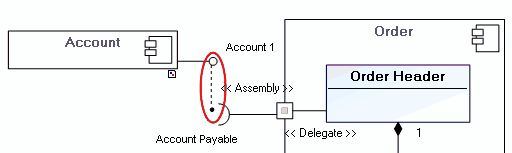
The Component Diagram
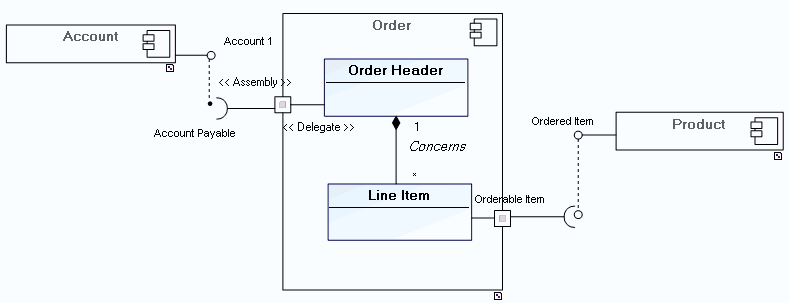
A component diagram shows the interdependency of software components and interfaces (it defines who uses what).
 A component is an implementation element of the system: it can be software, a program, a code element, or a physical element such as a work document.An interface represents the visible part of a class or package in a contractual client-supplier type relationship. The interface is a class stereotype.
A component diagram contains components and classes of the "Interface" stereotype. It is also possible to specify packages implemented by the components.
Example of a component diagram
Creating a Component Diagram
In Hopex IT Architecture, you can create a component diagram using a component or package.
To create a component diagram with Hopex IT Architecture from Design (UML) navigation menu:
1. From the navigation sub-menu, click Packages.
2. Select the package stream that interests you and click New Diagram.
3. Select Components Diagram.
The diagram appears in the edit window.
Components
A component represents a modular part of a system that encapsulates its content, and which can be replaced in its environment. A component defines its behavior by means of interfaces that it provides and requires.
One component can be replaced by another if their interfaces conform.
A component can be a software package, program, code unit, etc.
It is represented by the following icon: 
Interfaces
Creating component interfaces


Linking interfaces to other objects

Connecting interfaces
Ports
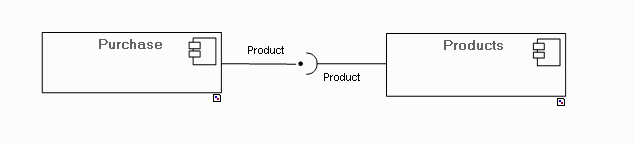
Ports enable connection of a component to its parts or to its environment.
Ports are represented by a square in the diagram, placed at the edge of the described element when they assure connection with the exterior.
They are connected to components by connectors.
Ports can specify queries sent and services provided by the component, as well as queries and services they may require from other parts of the system. These queries and services are represented by classes of interface type.
You can view interfaces associated with a port in the properties dialog box of the port, in the Provided and Required Interfaces tab.
Connectors
Connectors enable connection of diagram objects.
Connectors of simple type do not specify a particular connection type, they are notably used to connect instances of objects described in collaborations.
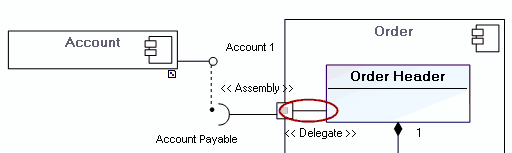
In the composite structure diagram, it is possible to specify the type of connector between two objects: Assembly or Delegate.
Delegate connector
Assembly connector