Defining User Interfaces
It is possible to describe interfaces connecting services or operations with the exterior. This description is carried out in a user interface diagram.
 To access UML functions, you must be connected Solution Architect profile or with Solution Architecture Functional Administrator profile.To see the User Interfaces, open the Options window and check that IT Architecture > User Interface and Batch Features (ADES) option is activated.
Creating a user interface
To create a user interaction using Design (UML) navigation menu:
1. Select User Interfaces.
The list of user interfaces appears.
2. Click New.
3. Enter the name of the interface.
4. Click OK.
Building a User Interface Diagram
To create an interface diagram:
1. Select the User interface that interests you and click Create Diagram button.
2. In the dialog box, select User Interface Diagram.
The UI diagram opens in the Edit window.
Take, for example, the "Flight Reservation" UI diagram.
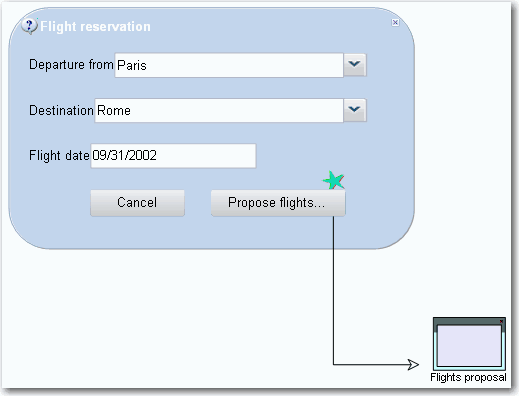
The interface is presented in the form of a dialog box, in which various fields must be completed.
• Departure city
• Destination
• Flight date
A button cancels the request, another button opens a second interface.
Drawing the Interface Diagram
The user interface diagram allows you to draw the interface of the operation or service.
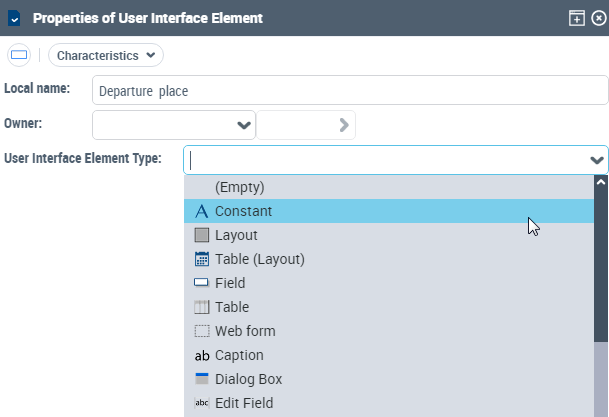
User interface element
User interface event