Accessing the Viewer Desktop
To log in to the Viewer desktop:
 Log in to Hopex with the "Viewer” profile.
 For more details on the login page, see Logging in to Hopex.
The homepage and navigation menus are specific to the Viewer profile.
The Viewer Functional Administrator profile provides access to the same desktop with additional permissions, including permissions for all objects. It enables you to customize the Viewer's environment, such as property pages. For more details, see Viewer Functional Administrator Features.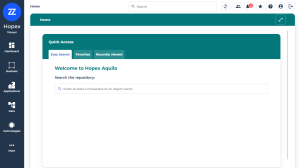
See also: