Using Reports
The major purpose of the NAF framework is to generate documentation of subviews of a given architecture in a comparable format. This section details how you can generate and use documentation.
Using Reports to Describe the Architecture
Reports can be used in two ways in HOPEX NAF. You can:
• generate them for the reader to understand architecture designs
• use them as a working tool to design architectures.
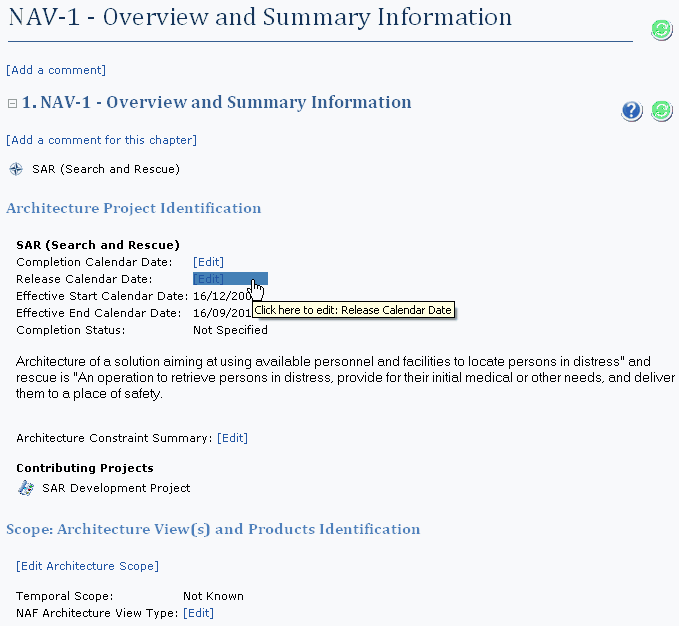
In the second perspective, you can change the properties of the objects cited in the report using the Edit button.
For example, in the NAV-1 subview, the properties used to generate the report are followed by an Edit button when the value is not set. This button gives access to the property page of the appropriate object so that the user can fill in the missing information. When you pass the mouse cursor over the word Edit, a tooltip appears with the name of the property to be updated.
 Edit buttons are not displayed on generated web pages or in Word documents.