Report Style Condition Properties
The condition is defined in text format. If the text is empty the style is applied with no condition.
The text syntax is as follows:
[Paragraph]
<Order number>=<condition type>,<test subject>,<operator>,<value>
A paragraph can include one or several conditions. Each condition is expressed in a distinct line.
The set of conditions included in a paragraph is evaluated and if all of the conditions are TRUE, then the style is applied.
With several paragraphs, if the set of conditions of one paragraph is TRUE, then the style is applied.
 See How to Define the Filters Displayed in a Report section.See How to apply a Conditional Style to a Graph section.
Condition on value (Table/Matrix/Tree View element)
This condition is in the following form:
<order number>=Value,<report element>,<Operator>,<Value>
Where:
<report element> is expressed by one of the following:
• &Current
&Current is the report data view element linked to the condition.
It enables to test for example:
• the current value of a matrix cell, or
• the current cell of a of a given column.
Example: for a Table each table cell, for a column each column cell value.
For an example, see How to Define the Filters Displayed in a Report section.• &ColumnHeader
When the report data view element is a matrix cell, the &ColumnHeader enables to test the column header value.
Example: for a Table each column header value.
• &RowHeader
When the report data view element is a matrix cell, the &RowHeader enables to test the row header value.
• ~Column (~subtotal, ~cells, ~rows, ~columns)
~Column is a field that identifies the column, which enables to test the current cell value.
The field can also be ~subtotal, ~cells, ~rows, or ~columns.
Use case: applying a style on an element but testing another element value.
• ~Paramtype
~Paramtype is a field that identifies a report parameter (or a DataSet parameter), which enables to test its value.
Only multiplicity 1 parameters can be tested.
Example: a report parameter or a DataSet parameter.
• &CurrentUser (&CurrentDate, etc.)
All of the conventional variables can be tested in this paragraph.
<OPERATOR> can be:
• <
• >
• =
<Value> is a character string.
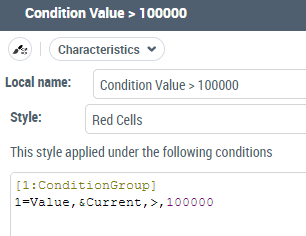
Example: to add a condition style on values superior to 10,000 enter:
[1:ConditionGroup]
1=Value,&Current,>,10000
Condition on value (Report Graph View element)
In a graph, you can add conditions on Value on:
• node
• arc
• path
The conditional style applies to arcs or nodes.
For a node, the Value can concern:
• the object associated with the node,
• any field value of the node,
For an example, see Applying a conditional style to a node.• any field property if the field is an object.
For a path, the Value can concern:
• any field of nodes/arcs
• any node of the path
The conditional style applies to each arc, which is part of the path.For an arc, the Value can concern:
• (grouped arcs) the arc number
• (arc) any field of the arc
This condition is in the following form:
<order number>=Value,<report element>,<Operator>,<Value>
Where:
<report element> is expressed by one of the following:
• &Current
&Current is the node/arc/path linked to the condition.
• ~Field
~Field is any field of the node/arc, whose value can be compared with the given value.
• &ArcsNumber
&Arcs Number is the number of occurrences behind the grouped arcs.
<OPERATOR> can be:
• <
• >
• =
<Value> is expressed by one of the following:
• any conventional variables &CurrentUser (&CurrentDate, etc.)
• ~MegaField
Any MegaObject.
• ~Field
Any other Field value of the node/arc.
• a character string
Example: to add a condition style on Application with cost values superior to 10,000 enter:
[1:ConditionGroup]
1=Value,&ApplicationCost,>,10000
Complex condition embedding a MetaTest
This condition is in the following form:
Metatest,<report element>,<~MetaTest>,<test result>
Where:
• <report element> is expressed in the same way as for a condition on a value.
• <~MetaTest> is the field that identifies the MetatTest to be executed on the occurrence corresponding to the report element quoted.
• <test result>: can take the following values:
• TRUE
• FALSE
Condition on a report element regardless of its content
This condition is in the following form:
id,<report element>,IS,<conventional value>
Where:
• <report element> can be either:
• &CurrentColumn to designate the current column, or
• &CurrentRow to designate the current row.
• <conventional value> can be:
• ODD
• EVEN
• LAST
• FIRST