OV-5a Operational Activity Decomposition Tree
OV-5-a Description
|
Model
|
Description
|
|---|---|
|
OV-5-a
|
The capabilities and operational activities organized in a hierarchical structure.
|
Detailed Description
For more information, see the DoDAF web site: OV-5a: Operational Activity Decomposition Tree and OV-5b: Operational Activity Model.
Links with other viewpoints
OV-5a is tightly coupled with OV-2. For more information, see OV-2 Implementation.
OV-5a Implementation
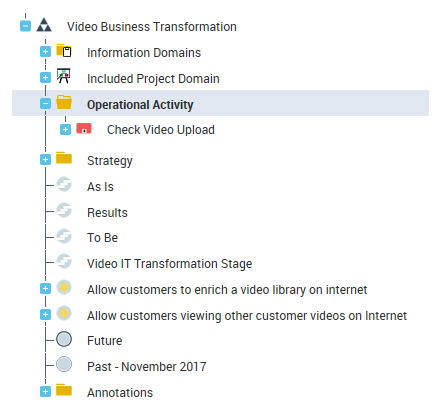
Operational activities are organized in a hierarchical structure.
Operations
To create an operation as a component of an operational activity:
1. In the navigation menu click Operational Viewpoint > OV-5a Operational Activity Decomposition Tree.
2. Expand the" Operational activity" folder.
3. Right-click an operational activity and select New > Operation.
Organizational process diagram
To create an operational process diagram:
1. In the navigation menu click Operational Viewpoint > OV-5a Operational Activity Decomposition Tree.
2. Right-click an operational activity and select New > Organizational Process Diagram.
You can draw a diagram with the BPMN notation.
For more information, see OV-5b Operational Activity Model.
Organizational process tree diagram
HOPEX DoDAF offers you the possility to draw operational activity composition tree diagrams. From on operational activity you can create an organization process tree diagram which aims at showing the hierarchy of operational activities.
To create an organizational process tree diagram:
1. In the navigation menu click Operational Viewpoint > OV-5a Operational Activity Decomposition Tree.
2. Right-click an operational activity in the tree provided and select New > Organizational Process Tree Diagram.