Refreshing Data
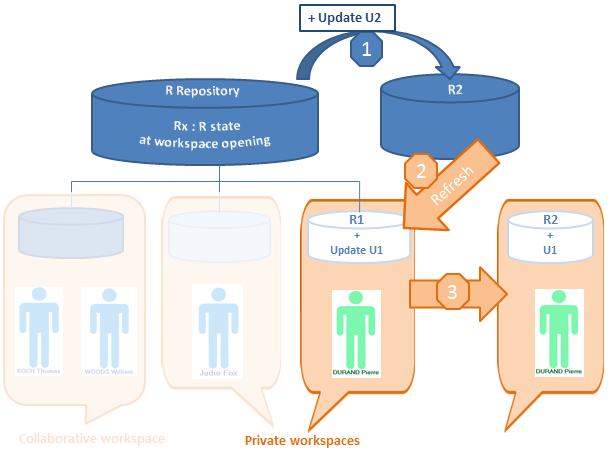
A user can see modifications dispatched by other users of this repository without dispatching his/her own modifications. To do this, the user refreshes his/her data.
The system creates a new private workspace, into which the private workspace log of the user's previous modifications is automatically imported.

Refreshing allows a user to incorporate repository and system repository changes made by other users, without dispatching current work.
Refreshing a private workspace.
• does not update repository or system repository state.
• does not unlock objects modified in the private workspace.
 see Managing locks.
When a user resumes work on his/her private space that has lasted longer than the limit set by the administrator (the default is 6 days), HOPEX proposes that the user refreshes or dispatches his/her work.
In your Web desktop, to update your workspace with data dispatched in the repository by the other users:
1. In your HOPEX desktop, click Main Menu  .
.
.2. Click Refresh.
Your workspace is updated.