Accessing Processing Activities
To access processing activities in HOPEX Privacy Management:
1. In the navigation menu, select ROPA.
2. Select a processing activity to open its property page.
If you have a lot of processing activities in your record of processing, you can refine the scope of the processing activities you wish to display. See Refining the Scope of the Records of Processing.
Refining the Scope of the Records of Processing
Data privacy laws may require you to produce two separate records of processing activities:
• one as data controller
• one as data processor
HOPEX Privacy Management includes an advanced filter to quickly export the record of processing of one or more entities based on their protection role.
To refine the scope of the processing activities displayed in your record of processing:
1. Access the record of processing.

2. In the list of processing activities click the Record Scope button at the top of the list.
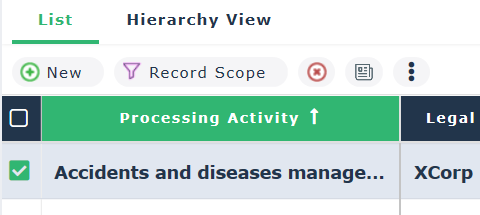
3. Specify the Legal Entities you are interested in.
4. Specify the data protection role played:
• Data Controller
• Joint Controller
• Data Processor
5. Click Apply.
The list of processing activities is updated as a function of the criteria specified.