Consulting DPIA Reports and Results
Viewing the dashboard of the processing activity
After you performed the DPIA, the Overview tab of the processing activity property page displays a dashboard with updated results.
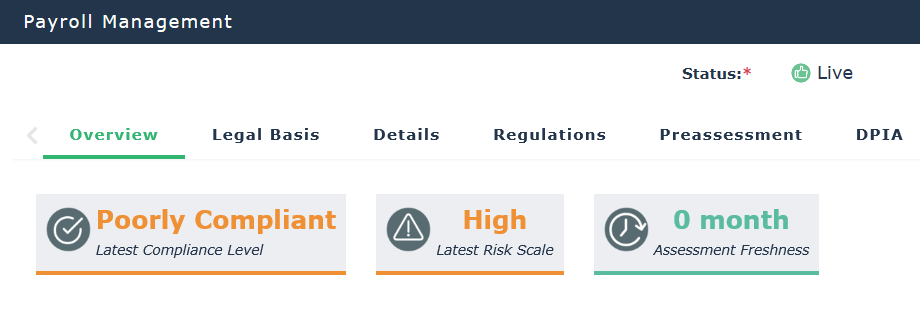
Final compliance level and Latest risk scales
These indicators are computed based on the latest pre-assessments or DPIAs.
 The most recent of the two is taken into account.
Assessment freshness
This gives you an indication of when the last assessment was made (whether a pre-assessment or a DPIA).
Record of DPIAs
See Record of DPIAs
Generating a DPIA document
To generate a DPIA document:
1. In the DPIA tab of the processing activity property page, expand the DPIA history tab.
2. Select a DPIA and click DPIA document.
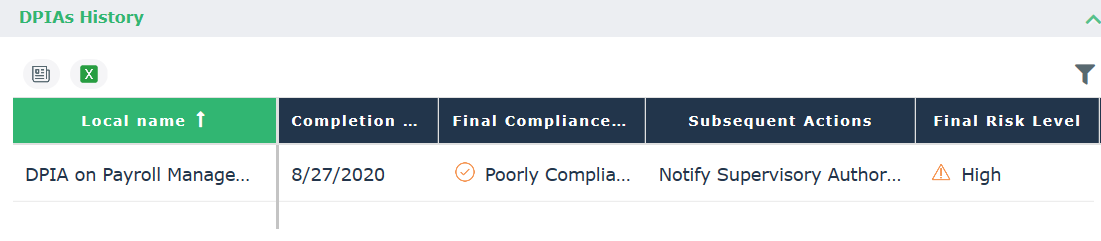
The DPIA document executive summary contains the following information:
• The overall compliance level of the processing activity prior to the DPIA.
• A summary of the identified risks through the DPIA, with their impact and recommendations for their mitigation.
• The final risk level and compliance level obtained at the end of the risk assessment.