NAV-2 Integrated Dictionary
The NAV-2 Integrated Dictionary contains definitions of terms used in architecture descriptions.
It is not necessarily a literal dictionary. It consists of textual definitions in the form of a glossary, a repository of architecture data, and the taxonomies and metadata (i.e., data about architecture data) of this data, including metadata for tailored products, associated with the architecture products developed.
 Metadata refers to architecture data types, which are possibly expressed in the form of a physical schema. In this document, architecture data types are referred to as architecture data elements.
The HOPEX Modeling platform enables users to retrieve all items connected to a set of starting items. This feature is used to automatically build the entire dictionary from a given architecture. Two reports are proposed in relation to each of the following situations:
• The user wants to view the commented items
• The user wants to see all items of the architecture in order to determine what must be commented
The NAV-2 Integrated Dictionary Chapter
This chapter addresses the reader who wants to retrieve the definitions of all the items defined or commented within the architecture.
The report generation starts a search for all objects directly and indirectly connected to the analyzed architecture. Only items with comments are considered.
A list of these commented items is generated with their name, comment and type (metaclass). The list is preceded by the number of commented items included.
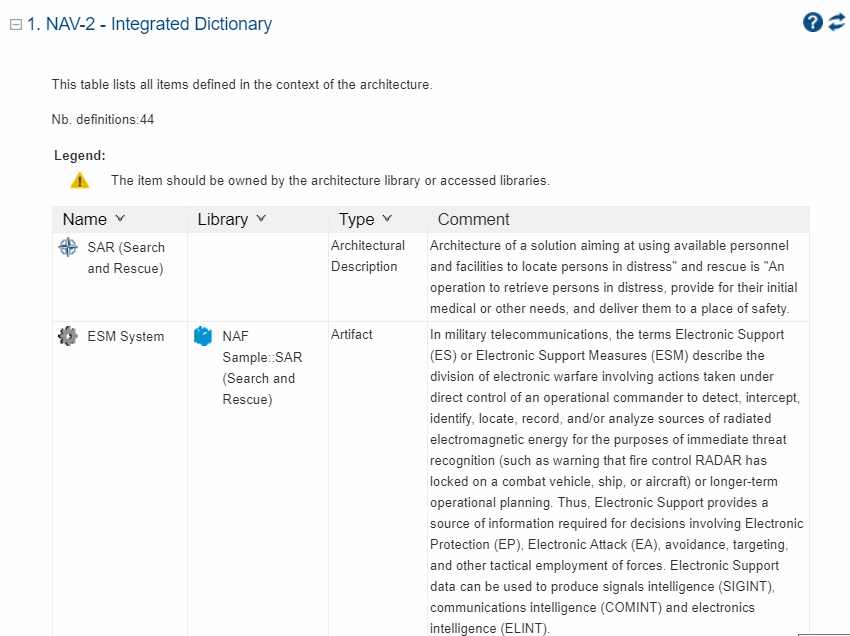
Example of an Integrated Dictionary Chapter
The NAV-2 Complete Integrated Dictionary Chapter
The Complete Integrated Dictionary chapter is based on the same principle as the Integrated Dictionary report. However, items without comments are not removed from the list.
This chapter is used as a working tool to develop the architecture. The goal is to help the architecture designer retrieve the items for which comments are to be added.
If a report is based on the NAV-2 template, it is possible that the Complete Integrated Dictionary report chapter will not be check-marked in any other context than the HOPEX reporting one. To correct this, in the report Properties, select the "Report Chapters" tab and change the check-marks.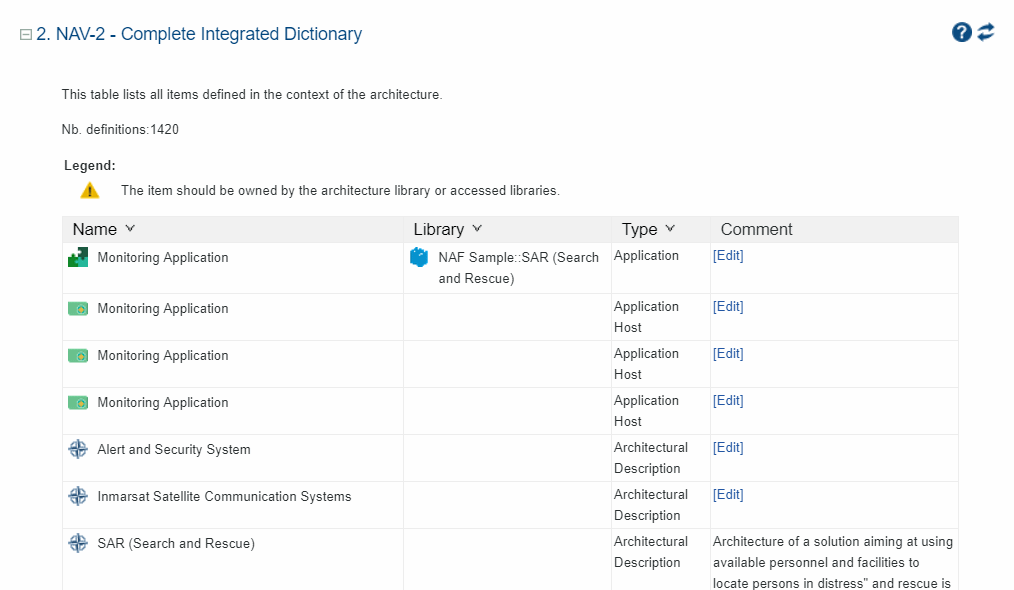
Example of a Complete Integrated Dictionary