Adding GraphSet Definition Entry Points
In the GraphSet Definition properties, the Characteristics page enables to:
• define how to collect the GraphSet entry points, via:
• collections
• queries
• create parameters that you can use in any query used in the GraphSet Definition (for example in GraphSet Definition entry point queries or in GraphSet Arc Definition queries).
Adding an entry point collection to the GraphSet Definition
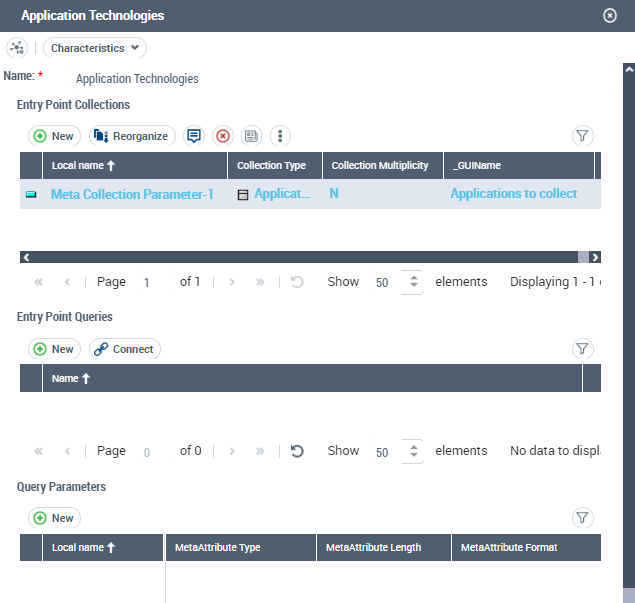
By default, an Entry Point Collection is made up by a collection of objects (Collection Multiplicity value is "N"). If needed, you can define the Entry Point Collection as a single object (Collection Multiplicity value is "1").
GraphSet Definitions with source MetaClass defined include by default an entry point collection based on the source MetaClass.
You may need to add entry point collection(s) to your GraphSet Definition (whether object-based or query-based).
At GraphSet creation the user is asked to enter the Entry Point Collection values, which are taken into account to build the GraphSet.
To feed the GraphSet Definition with an entry point collection:
1. Access the GraphSet Definition properties.
2. Display its Characteristics page.
3. In the Entry Point Collections section, click New  .
.
. You can add as many entry point collections as needed.
The Meta Collection Parameter creation window is displayed.
4. (Optional) In the Local Name field, enter a name for the collection parameter.
5. (if needed) Use the drop-down lists to modify the default Meta Collection Parameter characteristics:
• MetaAttribute Type
Examples: "X" (String, default value), "D" (DateTime).
• MetaAttribute Length
Not defined by default.
• MetaAttribute Format
Examples: "S" (Standard, default value), "D" (Duration).
For detailed information regarding MetaAttribute characteristics, see MetaAttribute Characteristics.6. Click OK.
The entry point collection is added in the Entry Point Collections list.
7. Click its Collection Type field and select Connect MetaClass.
Example: Software Technology MetaClass.
8. Use the Connecting window to select the MetaClass, and click Connect.
9. (If you want to define the entry point as a unique object) In its Collection Multiplicity drop-down list, select "1".
10. In the _GUIName field, enter a name.
Example: List of Technologies to extract.
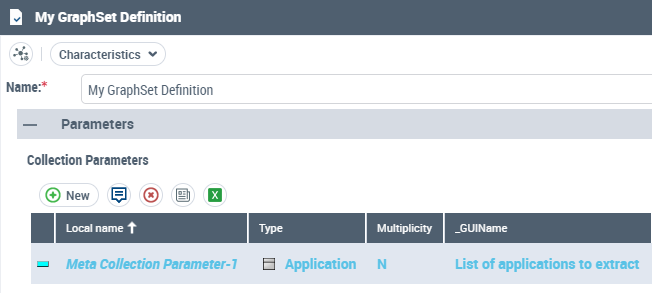
This parameter is displayed in the GraphSet Definition Preview page.
Example:
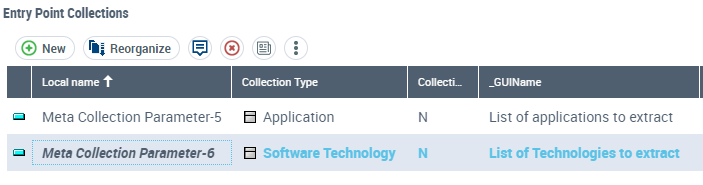
You can add the "List of Technologies to extract" Collection Parameter with the "Software technology" Collection Type, so that at GraphSet creation the user is asked to select the Technologies to feed the GraphSet with this collection.
Adding an entry point query to the GraphSet Definition
Your query is already created. If needed, you can create query parameters.
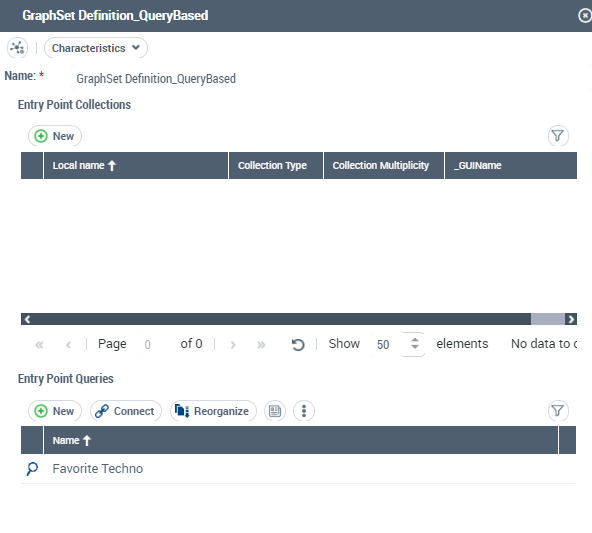
To connect a query to a GraphSet Definition:
1. Access the GraphSet Definition properties.
2. Display its Characteristics page.
3. In the Entry Point Queries list click:
• Connect  to connect an existing query.
to connect an existing query.Example: connect the "ITPM - My applications" query to filter the Application collection to the applications owned by the end-user only.
• New to create a query.
to create a query.Example: Select [Software Technology] where [Folder of Favorites).Absolute Identifier="<My favorite's IdAbs>" to filter the Technologies to your favorite ones.
You can add as many queries as needed.Defining query parameters
In your GraphSet Definition, you can create and define Query Parameters that you can use in any query used in the GraphSet Definition.
Examples:
- in GraphSet Definition entry point queries, see Creating a query-based GraphSet Definition.
- in GraphSet Arc Definition queries, see Defining the arcs of a node.
At GraphSet creation the user is asked to enter the parameter values, which are taken into account in the query (for example to retrieve the entry points to build the GraphSet).
If no query parameters is specified the GraphSet operates on the entire repository occurrences.
To add query parameter in the GraphSet Definition:
1. Access the GraphSet Definition properties.
2. Display the Characteristics page.
3. In the Query Parameter list, click New .
. You can add as many parameters as needed.4. In the Meta Property Parameter creation window:
• enter a Local Name (name displayed in the GraphSet)
Example: Begin date
• (according to your needs) modify the default values for MetaAttribute Type ("String"), MetaAttribute Length and MetaAttribute Format ("Standard")
Example: MetaAttribute type "DateTime", MetaAttribute Format "Duration"
For detailed information regarding MetaAttribute characteristics, see MetaAttribute Characteristics.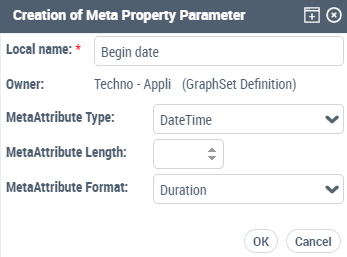
5. Click OK.
The query parameter is added in the Query Parameters list.
6. In the Parameter Name field, enter a name for the parameter. This name is the one used in the query.
Example:
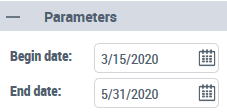
When you add "Begin Date" and "End Date" Query Parameters, at GraphSet creation the user is asked to enter both dates, which filter the GraphSet result according to the these dates.