Answering a Review Note
Any person having access to the object concerned (including the review note creator) can answer to an open review note.
To answer to a review note:
1. Access the review note of interest.
2. At the bottom of the review note, click Expand  .
.
.Replies (if any) to the review note appear.
An edit field appears.
3. In the text edit field, enter your answer.
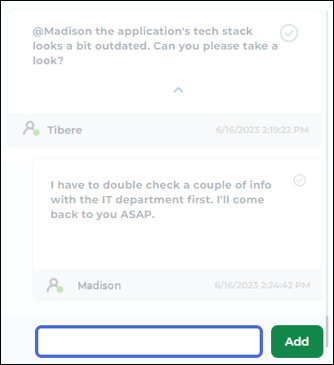
4. Click Add.
Your answer is added to the review note. If other replies already exist, it is added to the end of the list.
 To modify your answer, see Modifying your answer to a Review Note
Users subscribing to alerts on object modifications get notified.