Accessing collaboration features on an object
You can perform collaboration actions on an object contained in a list or a tree.
To access a collaboration information on an object in a list:
1. In your HOPEX desktop, access the object of interest.
2. Hover the cursor on the object Local Name and click Plus  .
.
.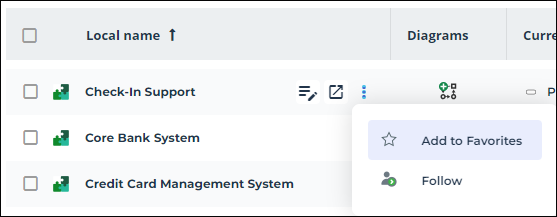
3. Click Follow to follow the object and get notified about changes occurring on the object.
 In a tree, click Plus to access the same options.
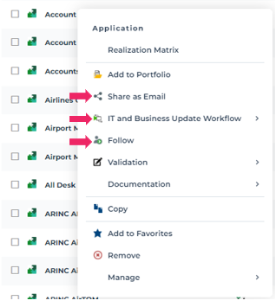
To access other collaboration features on an object in a list or a tree, right-click the object of interest.
You can then:
• share the object by email
• access the workflows related to it
• follow the object
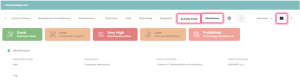
From an object property pages, you can access other collaboration features:
• Review Notes
• the Activity Feed on an object
See Activity on Objects.• Workflows related to the object
Tags added to an object sit in the object card, that is to say the Overview property page.