Import Errors Report
The error report automatically generated after carrying out the import shows in red the problematic data. In the following example, the file has identified an application that exists in HOPEX but whose identifier has been modified in the import file.
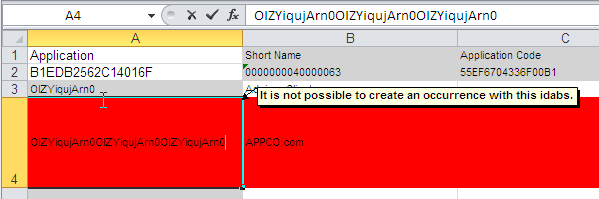
 The first two lines of an Excel worksheet are reserved to file configuration. Ensure the first two lines of the imported file remain identical to those obtained after an export.
When you want to import Enumeration type attribute values (values available in a drop-down list), you must ensure that the data language in HOPEX and the language of the Excel file are identical.
If, for example, your Excel file is in French and the data language in HOPEX is English, a message like the following one will pop up when carrying out the import: “value_name outside table”.
 The data language and the interface language are two separate concepts.