Defining the export file type
So as to ease file parameterization and/or object selection, the HOPEX wizard enables you to use already structured files.
You can use:
• a predefined template
 a predefined template is a standardized export template file supplied in HOPEX.
 For more details on predefined template files, see Creating Excel Template Files (HOPEX Customization (Windows) > Customizing Documentation).
• a user template
A user template is a file created during a previous export. You can also reuse objects of this file.Afterwards, you can modify the selected structure so that the generated file will differ from the template file. • a new, empty file created from HOPEX
To select the export mode for the file:
1. Run the export wizard.
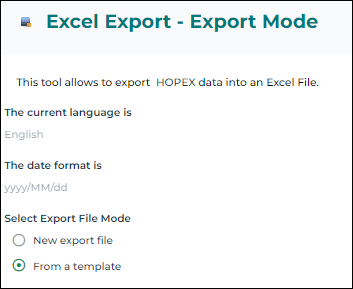
2. Select the export mode for the file:
• New export file
• From a template
3. Click Next.
The file customizing/downloading window appears.