Data Processed by the Excel Import/Export Wizard
Product view
The MetaClasses, MetaAssociations and MetaAttributes appearing in the Excel worksheet reflect the view of the metamodel. Only concepts that are available with the product, the profile and the options you have selected are displayed.
 For further details, see .For further details, see .For further details, see Extending the Visibility (Metamodel or Advanced Features).
Managing links and link attributes
In addition to MetaClasses and MetaAttributes, the export wizard supports:
• links and link attributes
• tagged values
• some MetaAssociationEnds showing a maximum cardinality of 1
For further details, see Example of how to use MetaAssociationEnds with a cardinality of 1.• macros
For further details, see Using Macros in Excel Import/Export Files.Example of how to use MetaAssociationEnds with a cardinality of 1
You can use some MetaAssociationEnds with cardinality equal to 1 to easily import some objects and their links.
For example, the Predefined Template "Business Capabilities Template" allows you to import:
• Some applications in the "Applications” worksheet,
• Some Business Capabilities in the "Business Capabilities” worksheet,
• Some Business Capability Fulfillment by applications in the "Business Capability Fulfillment” worksheet.

After the file import, the objects and their links are created.
Managing non-editable data
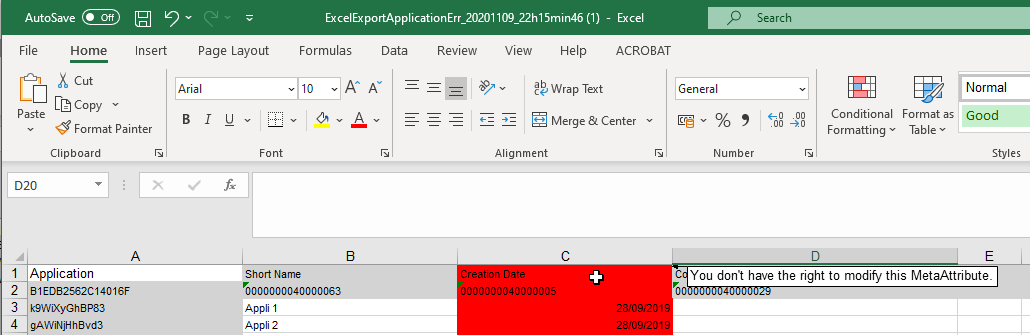
For export, MetaAttributes that cannot be modified by the user appear in a grayed column in the Excel page.
It is possible to export properties that cannot be modified, such as calculated attributes (for example "Creation date" MetaAttribute), but it is not possible to import these. The wizard indicates that you do not have permission to update these properties.
Whether it be an export or an import, the first two lines of an Excel worksheet are reserved for file configuration. Ensure that no data is entered in these first two lines.