Full-text search syntax
By default, the object search is based on the ones having an indexable attributes that contains all of the terms entered, in their entry order.
The search is performed according to the exact terms (be careful with plurals).
For example a search for “journey” or “journeys” does not return the same result.
To refine your search, you can use operators. You can use several operators and mix them. Certain operators are directly available below the search field.
In: operator
The in: operator enables to perform a full-text search over one or several object type(s).
 Below the search field, you can click the operator of interest to insert it into your search.
To add an object type to your search:
1. Enter the in: operator followed by the first letter of the object type of interest.
2. Select the object type that interests you in the list.
3. Repeat the operation as many times as needed.

4. Enter the term(s) of your choice to start your search.
# operator
The # operator enables to include one or several tags in the search.
Below the search field, you can click the operator of interest to insert it into your search.To add a tag to the search:
1. Enter the # character followed by at least one letter of the tag.
E.g.: #act

2. Select the tag in the list of suggested tags.
3. Complete your search with the term that interests you.
@ operator
The @ operator enables to include one or several persons in the search.
Below the search field, you can click the operator of interest to insert it into your search.To add a person to the search:
1. Enter the @ character followed by at least one letter of the person's name.
E.g.: @ju

2. Select the person in the list of suggested persons.
3. Complete your search with the term that interests you.
Without an operator
Without operator, the search is performed on all of the terms, in the order entered.
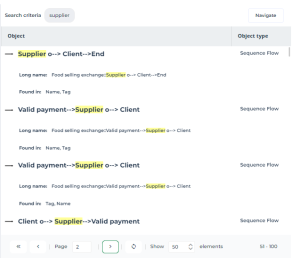
Example 1: The search supplier returns 50 results.
Example 2: The search supplier invoice returns 2 results.
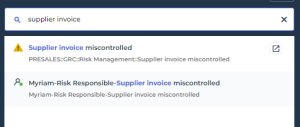
Example 3: The search supplier invoice does not show any result.

AND operator
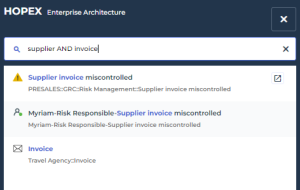
The AND operator enables to consider all the entered terms in the search, regardless of their order.
The search supplier AND invoice returns 10 results.
OR operator
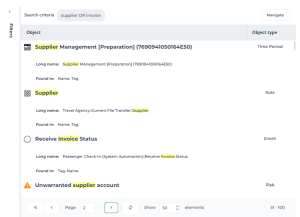
The OR operator enables to include at least one of the terms in the search.
The search supplier OR invoice returns 50 results.
* operator
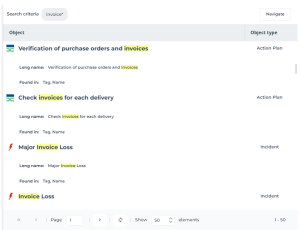
The * operator replaces one or several characters.
E.g.: invoice*
? operator
The ? operator replaces a single character.
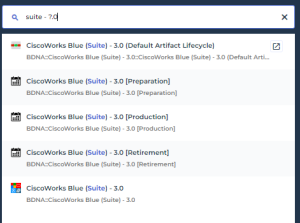
E.g.: suite - ?.0