Filters
In the Filters pane, for each full-text search result, specific filters are associated with this search result:
• Object type concerns the type of the object searched for
• User concerns any person linked to the object searched for:
• person to which the object is assigned to
• person who modified the object
• person who created the object
• person who created a review note linked to the object, or an answer to a review note linked to the object
• person who subscribed to the object modifications
• Tag concerns any tag added to the object searched for.
• Some object attributes, useful to tweak the filtering, are also available (e.g.: Internal/External, Status).
The elements of filter types are calculated dynamically according to the search results. Thus, as soon as an element of a filter type is selected, the elements of the other filter types are updated accordingly.
The search of results is performed according to the following rules:
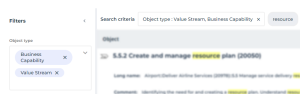
• within the same filter type, the OR operator is applied
Example: display the flows or service interfaces containing “resources”.
Search: “resources”
Object type filter: “Flows” and “Service interface”
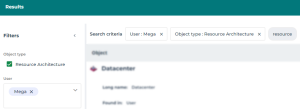
• between filter types, the AND operator is applied
Search: “resources”
Object type filter: “Resource component”
User filter: "Mega".