Searching for Terms in the Business Glossary
You can search for terms in the business glossary of your repository.
A term is the name of a concept, concept property or other business information in a given language. These concepts or concept properties carry the definition of the term.
Example: the "Country" concept has the "Pays" in French and "Country" in English.
See also: Concept and Term.
Prerequisite
The use of the glossary requires that the repository be indexed.
To index a repository, see Enabling and Customizing Repository Indexing.
Scope of the Search
The search for a term in the glossary looks at all the definitions in the glossary that contain the term in question, as well as the glossary items that are associated with the term.
For example, if “Booking” is associated with “Customer”, when searching on “Customer”, “Booking” will also appear in the results.
Starting the Search
To display a term definition:
1. On the Home page, under Quick access, click the Actions tab.
2. Click Search in Business Glossary.
3. In the edit area, in the Search field, enter the term or the first few letters of the search term to display a list of matching terms.
 Used at the end of a word as in "Liberal*", the asterisk allows you to find the different suffixes like "Liberalism" or "Liberalization".
4. Select the term in question from the list and click the magnifying glass.
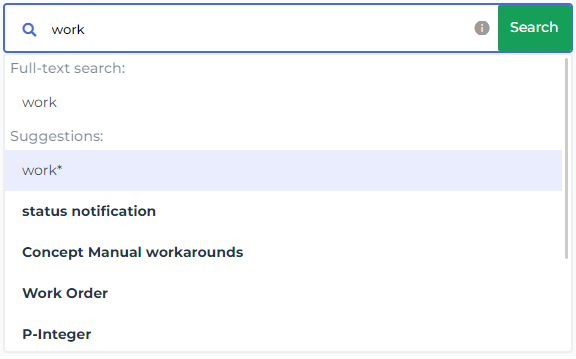
The term, if it exists, appears in the search results.
Search filters
You can refine the results using the filters in the left panel. The values proposed in the filters depend on the results obtained: for example, when the searched term appears in several business dictionaries, the filter allows you to restrict the search to one of the business dictionaries found.
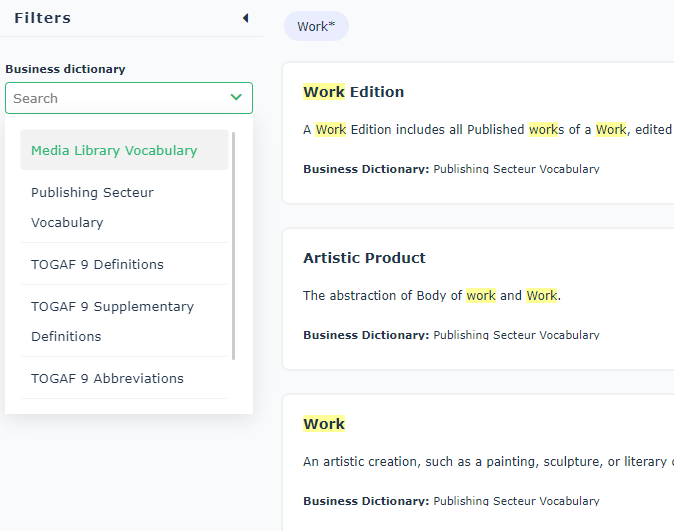
When the filters are hidden, you can display them by clicking on the Filters button located on the right of the search bar.
Displaying the Details of a Term
To display the details of a term:
 In the search results, click the term in question.
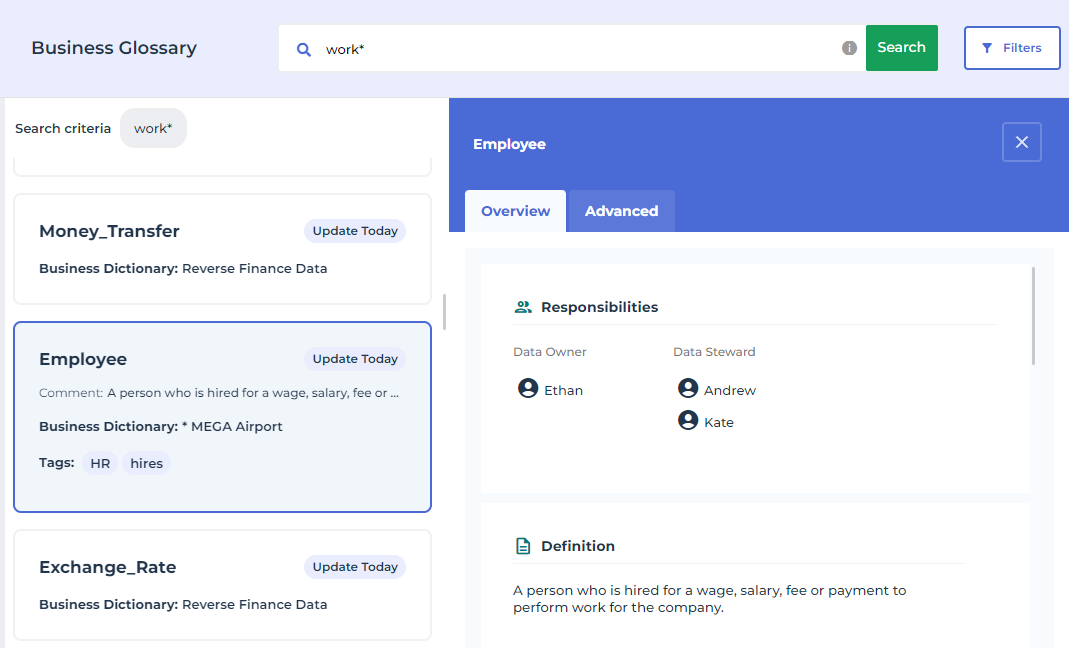
A window appears to the right of the search, with two tabs: Overview and Advanced.
Standard characteristics
The Overview tab displays:
• the Data Owner and the Data Steward
• the type of object, for example, Concept, Concept type, etc.
• the status in the data approval workflow. See Data Validation Workflow.
• the definition
• synonyms, data category, business domain, etc.
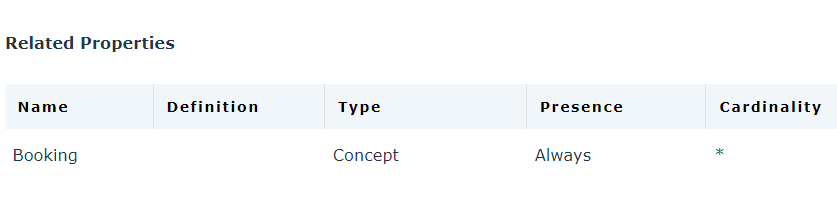
• the related properties: for example, the concept “Customer” is associated with the concept “Booking". This is why the concept “Booking” appears in the result of the search for the term “Customer”.
• (in HOPEX Data Governance) the related metadata, which realizes the sought business data.
For each metadata are displayed:
• the data catalog
• the data source
• the object type: Meta Dataset or Meta Field
• the quality: the displayed value is the average of the different values of the last assessment performed on the metadata.
• the related regulations
For more information on realizations, see Connecting the Business Concepts to the Logical and Physical architecture.Advanced characteristics
The Advanced tab displays:
• Data lineages that contain the data. See Data Lineages.
• Applications and processes that use the data. See Use of Data by the Information System.
• Quality policies associated with the data See Defining a Data Quality Policy.
• Regulations that deal with the data. See Rules and Regulations.