Creating Sequence Flows
To create a sequence flow between two operations::
1. Click the  button in the object inserting bar.
button in the object inserting bar.2. Click the sender operation and draw a link to the recipient operation.
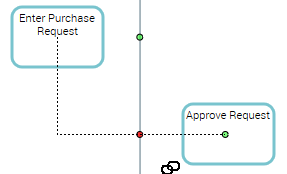
A dotted line link indicates the path taken by the graphic link.
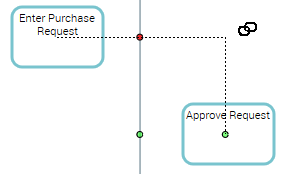
 Several paths are possible: you need only move the cursor in the recipient operation frame.