Viewing and Analyzing Risk Assessment Results
Displaying Risk Assessment Results
To display the results of assessments performed on a risk:
1. From the list or risks, select the Assessment page of the risk properties.
2. (optional) select the context element and template you are interested in and click Apply filters.
The corresponding assessments appear. This way you can filter assessments when there are a lot of them.
 The GRC functional administrator only can delete assessment results (that is to say assessment nodes).
 To delete an assessment node, select it and click Delete.
For each assessment node the following values are computed:
• inherent risk

• residual risk
Generating Reports on Assessments
Instant reports
Instant reports provide statistical graphic analysis of the data. You can generate instant reports on a selection of assessments in order to view certain data graphically or to compare the assessments for specific characteristics.
To launch an instant report on a set of assessment of a risk:
1. Display the risk properties and click the Assessment page.
2. Select the assessments of interest.
3. Click the Instant Report button.
4. Select the type of report to create and then, if necessary, the characteristics to be analyzed.
Example
Find below an example of breakdown report on risks. From the selected characteristics (risk impact in this example), this report offers a graphical representation of results.
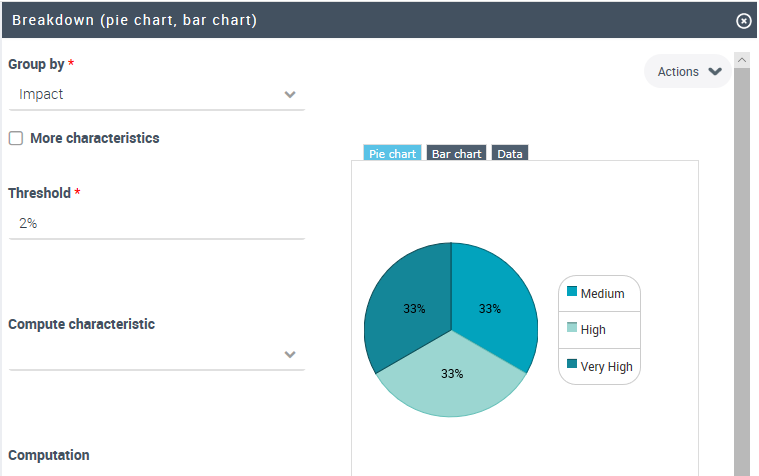
For more information on instant reports, see Managing Instant Reports.
Generating dedicated reports
In addition to instant reports, HOPEX Enterprise Risk Management provides dedicated report templates that facilitate the analysis of the assessed risks. For futher details, see Risk-Related Reports.