Incident Monitoring
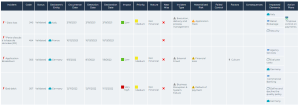
This report is displayed in the form of a table and details the selected incidents.
 For general information on incidents, see Collecting Incidents.
Access path
To access this report:
1. In the navigation bar, click Reports > Create a report.
2. User filters to find the Incident the report Monitoring report.
Illustration
Table / Matrix
Report parameter
|
Parameter
|
|---|
|
Incident list
|
Report content
This report is displayed in the form of a table and contains the following columns:
• Name
• Code
• Status
• Declarant's entity
• Occurrence date
• Detection date
• Declaration date
• Impact
• Priority
• Nature
• Near-miss
• Materialized risk
• Failed control
• Factors
• Risk consequences
• Impacted elements
• Action plans
Report example