Adding properties on ArchiMate concepts
ArchiMate properties can be defined by the ArchiMate Functional Administrator for an ArchiMate Model. The new property is available for a set of ArchiMate Concepts (elements or relationships) or for all of them.
Defining properties for an ArchiMate Model
Create a new property
To create a new ArchiMate Property:
1. Open the Model Properties property page of your ArchiMate Model.
2. In the Properties Definition section, click on New.
A creation wizard opens.
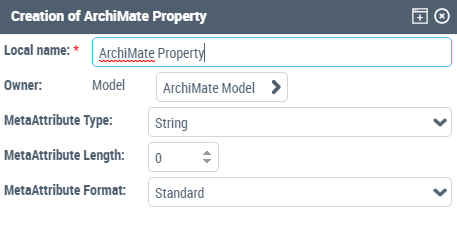
3. Enter the technical Local name of the Model Property, for example "My Application Component Deployment Date”.
4. Enter information about the type of the new property:
• MetaAttribute Type,
• MetaAttribute Format (set "Standard", excepted for "Currency" MetaAttribute Type),
• MetaAttribute Length (required only for "Strings" MetaAttribute Type).
5. Click OK.
To specify the name that will appear in the ArchiMate Concepts property page:
1. Open the Characteristic property page of the ArchiMate property.
2. Enter the GUIName, for example "Deployment Date”.
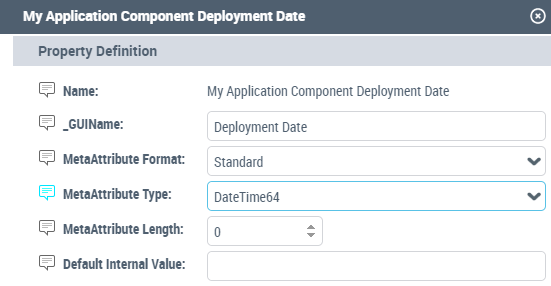
Specifying the ArchiMate Property MetaAttributes
A new ArchiMate Property must be compliant with the ArchiMate Standard.
Only the types mentioned in the table below are available with the HOPEX for the ArchiMate Framework standard. The other possible types, available in HOPEX, are not compliant with the ArchiMate Standard.
ArchiMate® | MetaAttribute Type | MetaAttribute Length | MetaAttribute Format |
|---|---|---|---|
String | String | e.g.; 63 (short) or 255 (long) | Standard |
Boolean | Boolean | n/a | Standard |
Currency | Currency | n/a | - Standard (single currency) / - Currency (multi-currency) |
Date / Time | AbsoluteDateTime64 | n/a | Standard |
Number | Short/Long/Float | n/a | Standard |
 The import only considers properties as strings (e.g. the expected serialization format for Boolean or dates is not defined in the ArchiMate® standard). For more details, see ArchiMate Export Overview.
Defining the concepts characterized by the property
By default, the new property is available for all concepts used in HOPEX for the ArchiMate Framework. It is possible to restrict the ArchiMate Property to a limited set of concepts: ArchiMate Elements or Relationships.
For example, the "Deployment Date" Property can be used only for Application Component instances.
To specify the applicable concepts:
1. Open the Model Property property page.
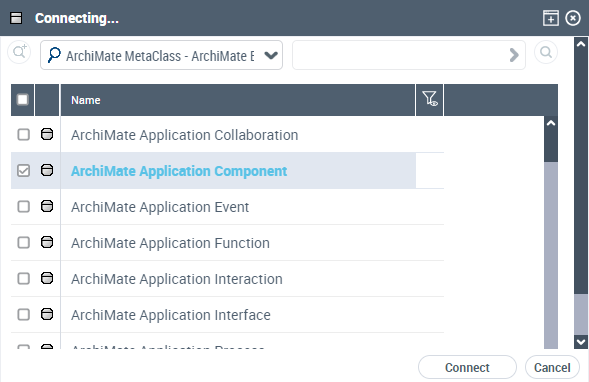
2. In the Characterized Concept section, click on Connect.
A connection window opens.
3. Select the ArchiMate Element tab and select the Metaclasses for which the Property applies.
To specify the characterized Concept Relationships:
1. Open the Model Property property page.
2. In the Characterized Concept section, click Connect.
A connection window opens.
3. Select the Concept Relationships (abstract) tab and select the Concept relationships concerned by the Model Property.
For example, ArchiMate Flow Relationships.
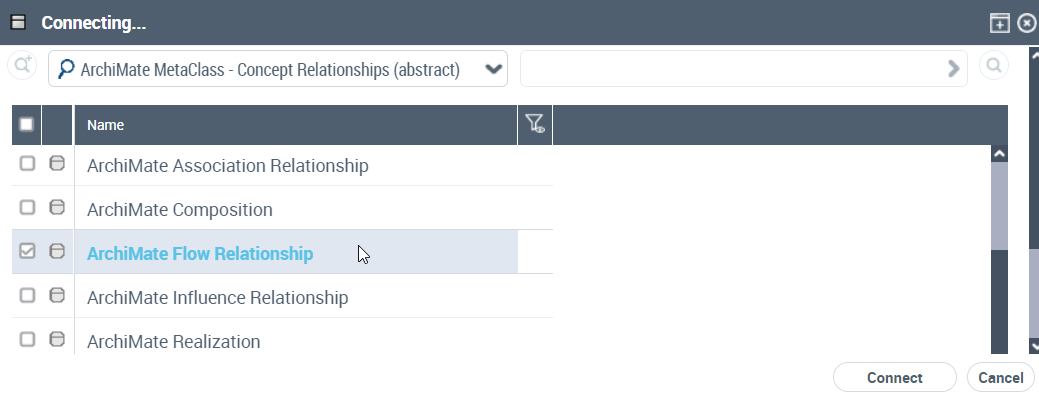 Abstractions are managed by the mechanism, so that a property can be defined for all ‘internal active structures', or instances, using the abstract metaclasses of the ArchiMate generic metamodel. The property will therefore be inherited by the subtype's instances.
 Setting properties values for a specific ArchiMate Concept
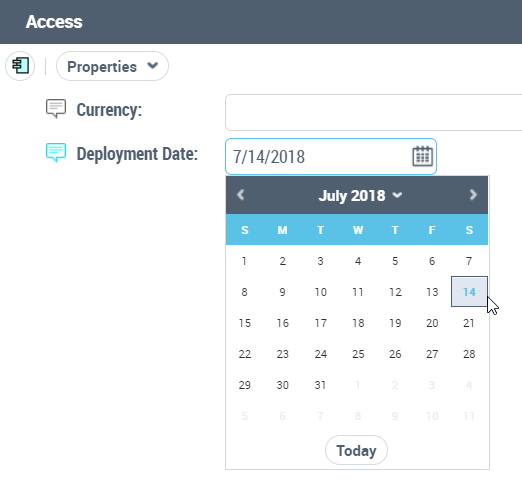
The Model Properties are automatically displayed in the Properties tab of the characterized concepts instances. Values can be set in the field using the appropriate control (e.g. date picker for dates).
Using Properties in query and reporting
ArchiMate Properties MetaModel
HOPEX for the ArchiMate Framework standard Metamodel is presented below. The ArchiMate properties MetaModel instantiates the Abstract Property MetaClass.
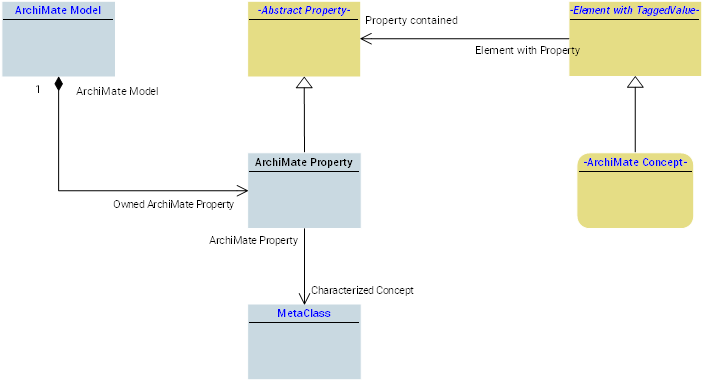 Values are stored as link attributes between the object instance of ArchiMate Concept (Element with Property subtype) and the property.
Query properties
The query syntax to select objects based on the property values is:
• To get an object whose property Property Name is "This Name":
Select [ArchiMate Concept Name] Where [Property contained].[Name] = "ThisName”
• To get an object whose "This Name" Property Name has a given value noted "This Value":
Select [ArchiMate Concept Name] Where [Property contained].[Name] Like "ThisName” and [Refers-To] = "ThisValue”)
For instance:
Select [ArchiMate Application Component] where [Property contained].([Name] like "#DeploymentVersion#" And [Refers-To] = "1.0")
Using properties in Report Datasets
To use the Model properties in Report Datasets, you need to:
1. Create a new Report DataSet property.
2. In the creation dialog box, select the ArchiMate Property you want to use.
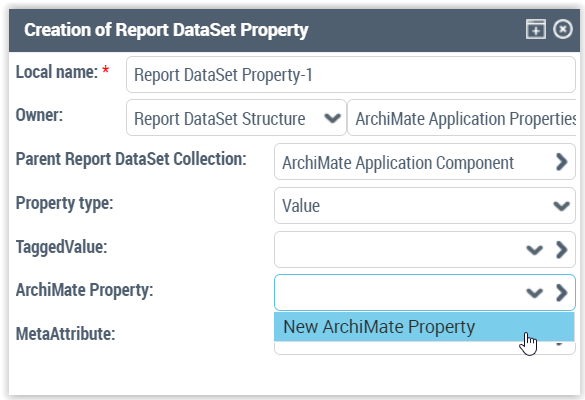
3. Click OK.
The selected Model Property appears in the list of report Definition property page.
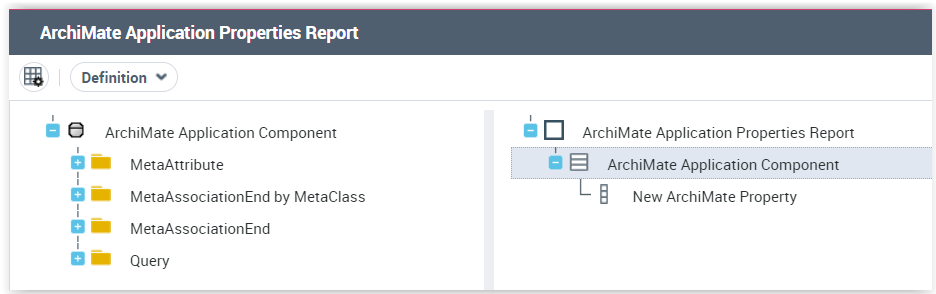
The corresponding Report DataSet presents all the properties of the selected objects:
A query will be used to isolate one of the properties to display it as a separate column in the report data set structure.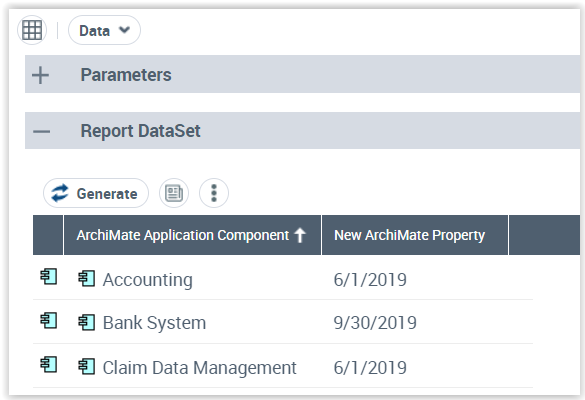
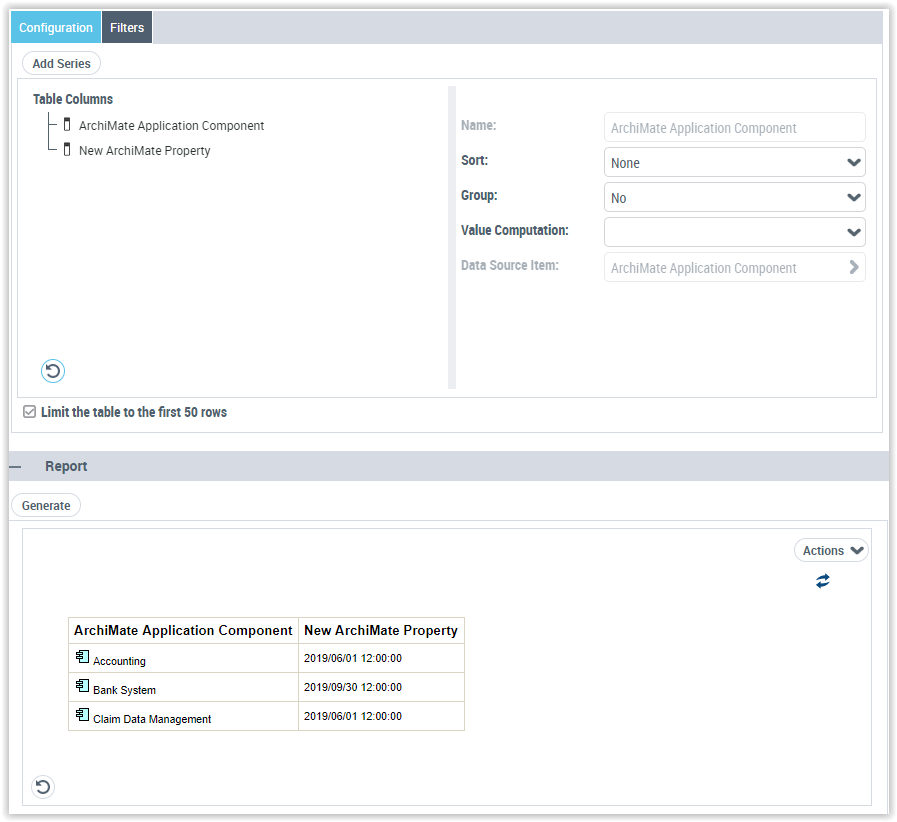
An instant report can be created using Table rendering.
With the corresponding configuration parameters enables to get the report DataSet below.