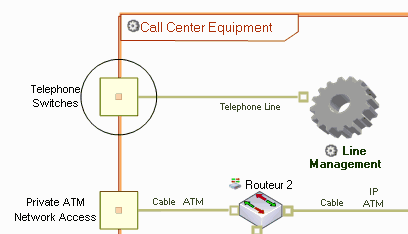
Describing Communications at Equipment Level
Communication ports
Communication Ports  are physical points of communication that can be defined in artifacts and resource architectures.
are physical points of communication that can be defined in artifacts and resource architectures.They assure physical transfer of information exchanged on service points and request points.
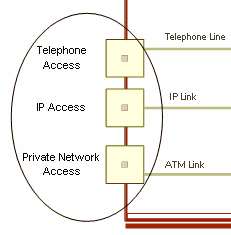
Communication ports comply with specific "Communication Protocols". See Network communication protocols.
Communication channels
Communication Channels enable connection of equipment resources between themselves, with organizational resources or with communication points.
Creating a communication channel
To create a communication channel:
1. In the resource architecture diagram objects toolbar, click Communication Channel  .
.
.2. Draw a link between the two communication entities.
The channel appears directly in the diagram.
To define the communication protocol associated with the channel:
1. Right-click the channel and select Connect > Communication Protocol.
2. In the query dialog box that opens, double-click the required communication protocol.
The protocol name appears alongside the channel name.
Network communication protocols
A Communication Protocol is supported by a communication channel.
For example, an SOAP protocol could be based on HTTP SMTP or FTP protocol for transport, themselves based on TCP, which is itself based on Ethernet.
A user may wish to build a customized layer of communication protocols and assign these to communication ports and communication channels.
 Communication protocols supported by a communication port must be compatible with the communication ports to which they are connected.
Connecting Communication Element Points
Like interactions, communication channels are represented by a link, extremities of which have graphical significance. For example, when the extremity of the channel displays an empty square, this indicates that the communication element point (located at the extremity of the channel) must be connected to the port of the connected object.
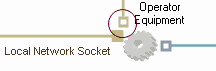
To connect a communication element point to the port of a physical asset or a resource architecture:
1. Righ-click the communication element point, at the extremity of the communication channel, and select Connect > Communication Port.
A dialog box presenting the list of communication ports of the object opens.
2. Select a communication port.
3. Click OK.
For example, in the case of a support center, the "Telephone Line" communication channel connects the "Telephone Access" communication port to the general infrastructure of the support center.
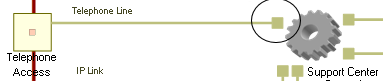
From the properties dialog box of the communication element point, you can see that "Telephone Line" is connected to the artifact via the "Telephone Switch" communication port.
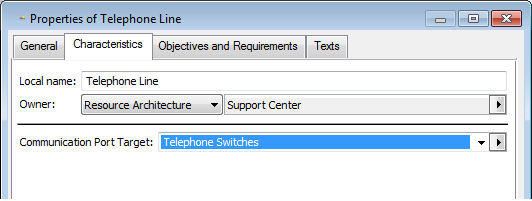
"Telephone Switch" is one of the ports available in the artifact.