Managing Profiles Associated with Several Terminologies
 For details on profiles see HOPEX Administration - Supervisor guide, "Managing users" chapter.
You can associate a profile with several terminologies.
When a profile is associated with several Terminologies, you must order the Terminologies to define which of them must be displayed as priority over the other ones.
Adding a Terminology to a profile
To associate a profile with a terminology:
1. Access the profile Properties.
2. Select the Terminology tab.
3. Click Connect  to connect the terminology to the profile.
to connect the terminology to the profile.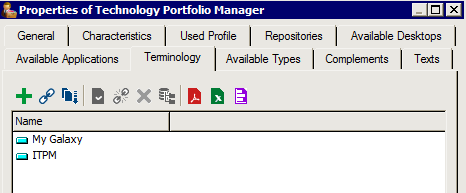
Defining the priority Terminology
By default Terminologies are listed in alphabetical order, so that the default Terminology displayed is the top level one.
To define the priority Terminology for a profile:
1. Access the profile properties.
2. Select the Terminology tab.
3. Click Reorganize  to define the priority order of appearance of terms.
to define the priority order of appearance of terms.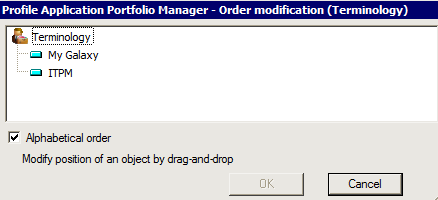
4. Drag and drop the Terminologies to order them with the priority Terminology at the top.
If My Galaxy Terminology is above ITPM Terminology, ITPM terms are displayed when Galaxy terms have not been specified.