Introduction
The HOPEX Data Discovery tool allows you to browse different data sources and define the metadata to import into your data catalogs.
Each data source has connection parameters. This document presents the connection string options of JDBC driver for each data source.
1.1. Prerequisite for using HOPEX Data Discovery
The HOPEX Data Discovery tool is available as a module, downloadable from the HOPEX HAS console.
For more details see the documentation HOPEX Data Governance > Data Catalogs > Data Discovery.
In stand-alone mode, the workstation on which the module is installed must have .Net Core 6 and Microsoft Edge WebView2 installed.
After deploying the tool, you can connect to a data source: depending on the connector, see the list of supported versions and the description of the connection options.
After selecting the connector, to ensure the connection of HOPEX Data Discovery with the data source, follow these steps.
Connection to the data source
1. Make sure that the workstation where HOPEX Data Discovery is deployed is allowed to access the server where the data source is deployed (firewall, etc.).
2. Indicate the port/server/user names and the password.
3. Depending on the authentication system (for example Kerberos), check with the IT manager that the connection ticket is up to date.
4. For some connectors it is necessary to enter the name of the database you want to extract.
Network configuration
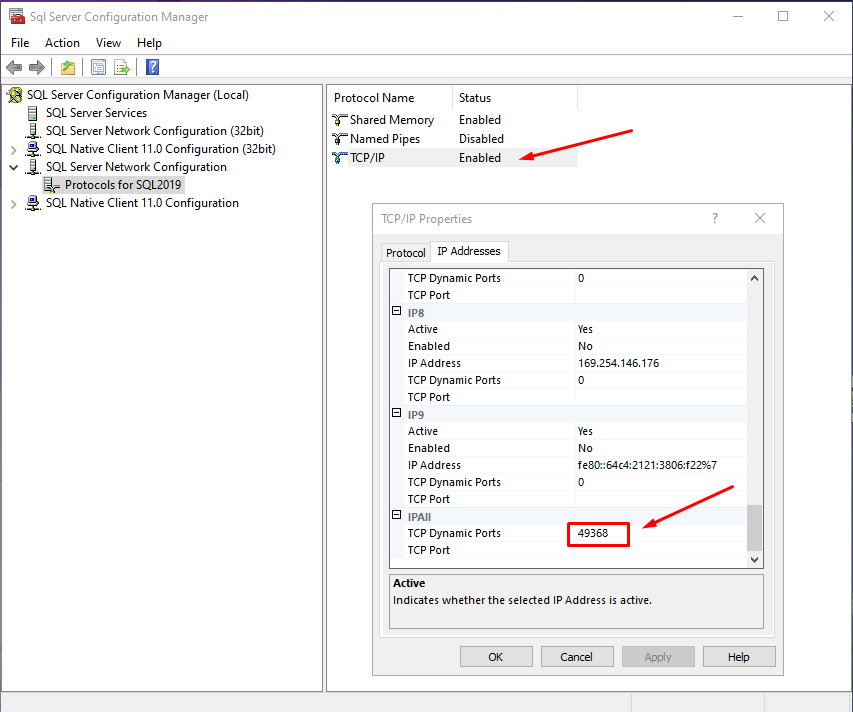
1. Check that the port used to connect to the data source is the correct one and that TCP/IP is enabled.
Example for SQL Server
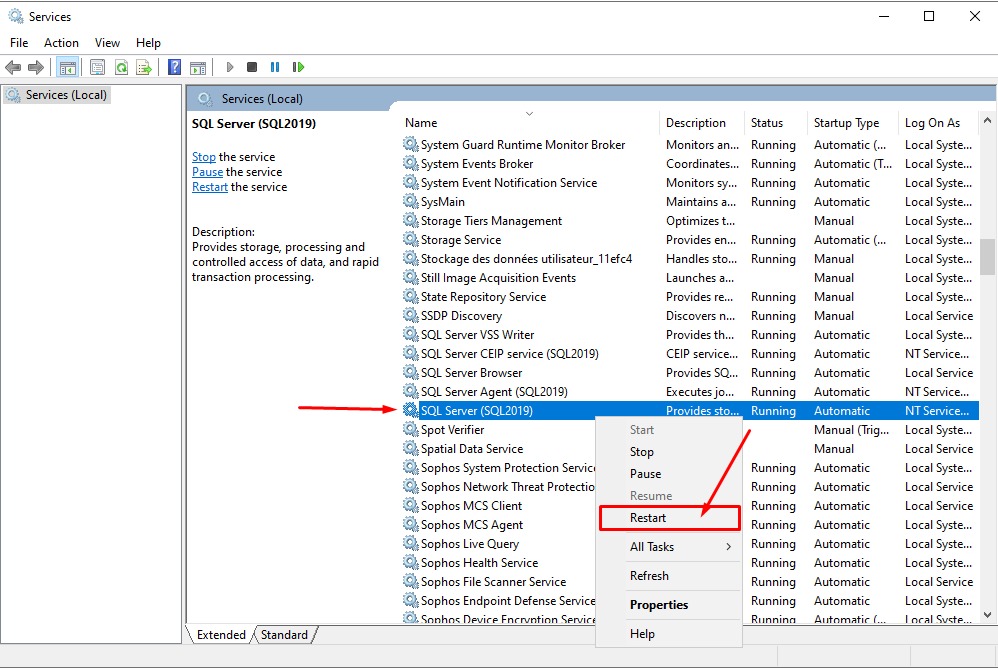
2. After modifications restart the services.
1.2. Connection issues
If the connection is not established, provide MEGA Support with the Log file of connection errors.
To get the log file of connection errors:
1. Create a "DataDiscoveryLog.Txt" file and save it, in the "c:\temp" folder for example.
2. In the connection property "Logfile", specify the path to the file.
3. Add the property "Verbosity", with the value "5".
The syntax is as follows:
logfile="c:\tempDataDiscoveryLog.txt";verbosity="5".
Make sure there are no spaces in the path or in the file name.
In addition to the connection log file:
• Online mode: get all the logs from HOPEX.
• Stand-alone mode: get the log from HAS Light