ArchiMate Import Overview
ArchiMate® design can be serialized into an xml file that supports the standard objects and diagrams. The HOPEX for the ArchiMate Framework import aims at importing ArchiMate® Models from files so that architectures modeled in other ArchiMate® modeling tools can be reused by HOPEX.
Pre-Requisites
The ArchiMate import feature is available with HOPEX for the ArchiMate Framework and supports ArchiMate® 3.0/3.1 models.
Necessary modules should have been imported.
 For more details about modules, see Pre-Requisites to HOPEX for the ArchiMate Framework.
The root target container (enterprise or library) should be selected when triggering the import.
For more details about target container, see Container management.Scope of ArchiMate® Import
The import covers the requirements of the ArchiMate® Exchange format:
• ArchiMate Elements,
• Relationships,
• Views and diagrams,
• Folders,
• Properties.
For more details on the list of supported mappings, see Imported objects mapping.
Importing an ArchiMate File
To import an ArchiMate Model file in HOPEX for the ArchiMate Framework:
1. From Main Menu, select Import > ArchiMate (*.xml).
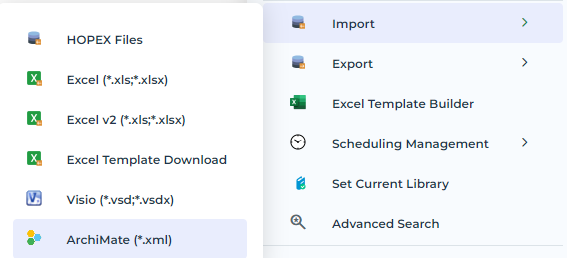
2. In the Import File of the ArchiMate Import - Parameterization dialog box, specify the path of the file to be imported.
3. (Optional) In the Option section, select a Target Container.
For more details about target container, see Container management.
4. Click Next.
The file is uploaded, and a summary is edited.

An import report file is displayed.
5. Click Close.
The ArchiMate model, views, elements, relationships, properties and views' diagrams are created in the HOPEX for the ArchiMate Framework repository