States
Creating a State

To create a state in a state machine diagram:
1. Click the arrow associated with the State button of the object insert toolbar.
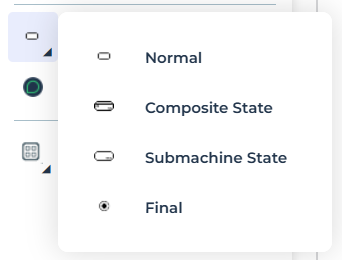
2. Select a state type.
• A normal state: has no sub-structure.
• A composite state: comprises several states, described in the diagram.
• A sub-machine state: calls the descriptor of a state machine described elsewhere.
• A final state
3. Click in the diagram.
The state appears in the diagram.
Pseudo-states
Pseudo-states are used to specify complex paths by combining several transitions between states.
They can be of different types: initial, final, choice, deep history, shallow history, input, output, fork, join, junction or reference.
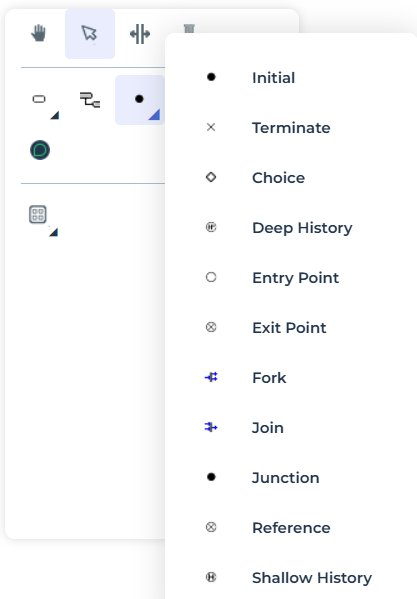
• An Initial pseudo-state has a single output transition to the initial state of the object at its creation.
• A Deep History pseudo-state represents the last active configuration of a composite state containing it; that is the configuration that was active the last time the composite state was exited.
• A Simple history pseudo-state represents the most recent active sub-state of a composite state (without the sub-states of this sub-state).
• A Fork separates a transition into several concurrent transitions.
• A Join is the grouping of several transitions into a single transition.
• A Choice represents the choice of a transition between several possible transitions.
• A Junction is used to define paths of complex transitions between several states.
• An Input is an entry point of a state machine or of a composite state.
• An Output is an exit point of a state machine or of a composite state.
• A Reference to an input or output of a state machine or of a composite state.
• An Final is an input in this pseudo-state involves complete shutdown of the state machine.