Using an Interface Template
Interface templates as well as Service operation templates and signal templates simplify the Interfaces creation by duplicating the components of the model used.
Then, the Interface be updated or modified.
Presentation of standard Interface Templates
Interface templates are provided to simplify the creation of your Interfaces. These Interfaces are supported by service operation templates.
Some Interface templates are provided with the solution.
The Interface template “One way communication”
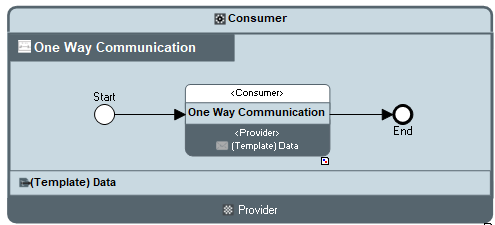
“One way communication” service interface template diagram (BPMN)
This Interface is based on an service operation used noted “One way communication” between the consumer and the provider.

The service operation used represents the signal “(Template) Data” exchanged between the consumer and the provider.
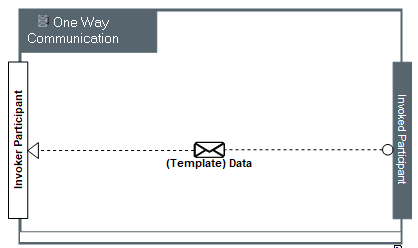
“One way communication” service operation diagram (BPMN)
The Interface template “Request-Response”
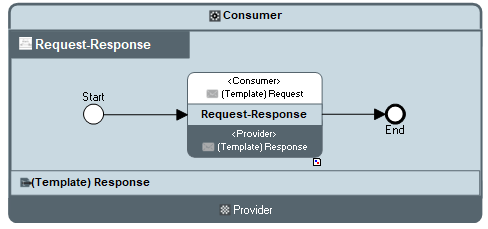
“Request-Response” service interface template diagram (BPMN)
This Interface is based on an service operation used noted “Request-Response” between the consumer and the provider.
The service operation used represents the service operations of the signals “(Template) Request” and “(Template) Response” exchanged between the consumer and the provider.
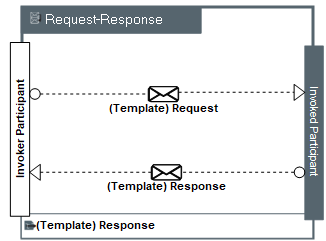
“Request-Response” service operation diagram (BPMN)
This service operation represents the sending of a request signal and the sending of the response signal.
The Interface template “Publish-Subscribe”
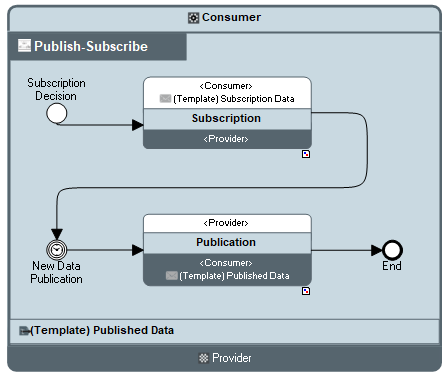
“Publish-Subscribe” Interface Diagram (BPMN)
This Interface is based on a service operation used noted “Publish-Subscribe” between the consumer and the provider. The request for subscription is sent. An event represents the waiting time before the acceptance for publication.
Accessing the list of Interface templates
To access the list Interface templates of a repository:
 From the Environnement > Hierachy > Libraries > MEGA > IT Architecture navigation menu, select Templates > Interfaces.
The list of Interface templates appears.
In the same way, to access to the list of service operation templates:
From the Environnement > Hierachy > Libraries > MEGA > IT Architecture navigation menu, select Templates > Service Operations.The list of service operation templates appears.
Furthermore, to access the list of signal templates:
From the Environnement > Hierachy > Libraries > MEGA > IT Architecture navigation menu, select Templates > Signal.The list of signal templates appears.
Creating an Interface from an Interface template
To create an Interface from a list using an Interface template:
1. From the Environment navigation menu, open the exploration area Container > Hierachy.
2. From the library that interests you, create an Interface.
3. In the following dialog box, select the Creation Mode: Template Based Creation
4. Select the template that interests you and click Next.
A dialog box displays the list of components of the Interface.
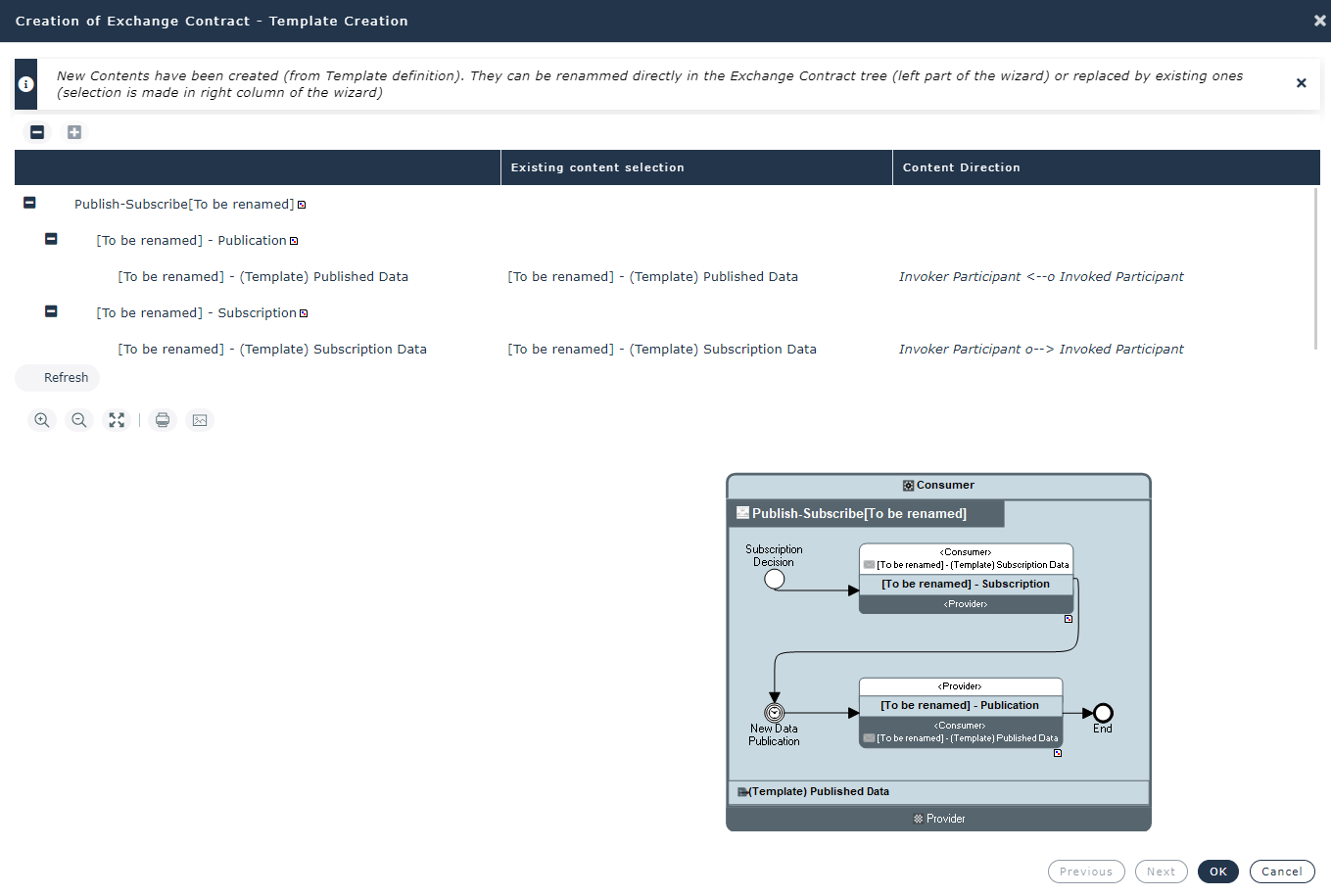
The name of duplicated components is prefixed with “[To be renamed]”. The signal templates used are duplicated.
5. Double-click the name you wish to modify.
6. (Option) In the Existing signal selection column, select the signal you want to reuse.
As a consequence, the created signal ““[To be renamed]” is destroyed.
7. Click OK.
The Interface is created.
 Then you can change the Interface components, for example from its diagram, see Creating an Interface Diagram (BPMN).
Creating an Interface Template
You can use an existing Interface to create Interface template.
To specify that an Interface is a template:
1. Select the Interface that interests you.
2. Open the Characteristics properties page.
3. Check the Interaction Behavior Template box.
The Interface is added to the list of existing Interface templates.
The Interface template components declared as templates are duplicated when the Interface template is used.
To access the list of an Interface template components declared as template:
1. From the Environnement > Hierachy > Libraries > MEGA > IT Architecture navigation menu, select Templates > Interfaces.
2. Open the Template Definition property page of the Interface that interests you.
3. Check the Template box of the components to be duplicated.
Creating a Service Operation Template
To specify that a service operation is a template service operation:
1. Select the service operation that interests you.
2. Open the Characteristics properties page.
3. Check the Interaction Behavior Template box.
The service operation is added to the list of existing service operation templates.
To access to the list of service operation templates: from the Administration navigation menu, select Templates > Interfaces.