Managing User Account Inactivity
By default a user account is disabled after no connection for 90 days. The user receives a first notification by email, seven days before the deactivation date, then a reminder three days before the deactivation date.
The e-mail includes a link to connect to HOPEX to reactivate the account.
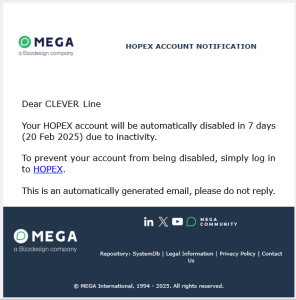
You can deactivate the option or modify the durations:
• Number of days without login after which a user account is disabled
Value: 1 day or more (90 days by default).
Value 0: the user account is never disabled.
• Notification X days before deactivation
First notification: number between 0 and 21 days (7 by default).
Value 0: no notification is sent.
• Notification Y days before deactivation
Reminder: between 0 and 14 days (3 by default).
Value 0: no notification or reminder is sent.
To manage inactive user accounts:
1. Access the Environment Options.
 See Managing Options.
2. In the Options tree, select Installation > User Management > Authentication.
3. In the right pane, modify the option values.
4. Click OK.
Modifying Data Import Authorization
The Authorize import of HOPEX data (MGR,MGL,XMG) option defines which data a user or a profile is authorized to import into HOPEX.
It can take the following values:
• “Prohibit”
• “Authorize XMG import in the data repository only”
• “Authorize XMG, MGR, MGL import in the data repository only”
(By default for all the profiles, including the HOPEX Administrator - SaaS and Functional Administrators profiles)
• “Authorize XMG, MGR, MGL import in the data repositories and SystemDb”
(by default for HOPEX Administrator profile only)
To change HOPEX data import authorization:
1. Access options (level concerned).
See Managing Options.2. In the Options tree, select Tools > Data Exchange > Import > MEGA Files: Generic Options.
3. In the right pane, modify the Authorize import of HOPEX data (MGR,MGL,XMG...) option value.