Checking the Configuration of Users
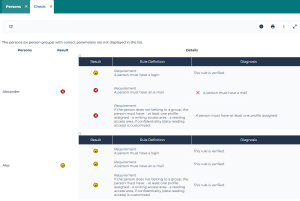
You can check the persons who do not comply with all the definition rules.
To check the configuration of users:
1. Access the Persons management page.
2. In the person list, select the persons whose configuration you want to check.
 If you do not select a person, the check is performed on all the persons.
3. In the list menu bar, click  > Check
  .
.
> Check .Each user for whom the configuration rules are not all compliant is detailed in the report.