Prerequisites
The SQL Server account
Before you start, you have to make sure that, where the duplicated databases are going to be hosted, you have a user with the proper rights, either:
• you are given the sysadmin right (the super admin) on the instance, and you perform those actions yourself, or
• you have to ask the DBA to create it and grant it.
1. Launch the “Microsoft SQL Server Management Studio” tool.
2. Connect to the SQL Server instance with the user having the sysadmin right.
3. If your Windows account is the one having the sysadmin right, stay in « Windows Authentication » mode. Otherwise, switch to “SQL Server Authentication”, and provide the username and password. The field “Server Name” is the name of the instance.
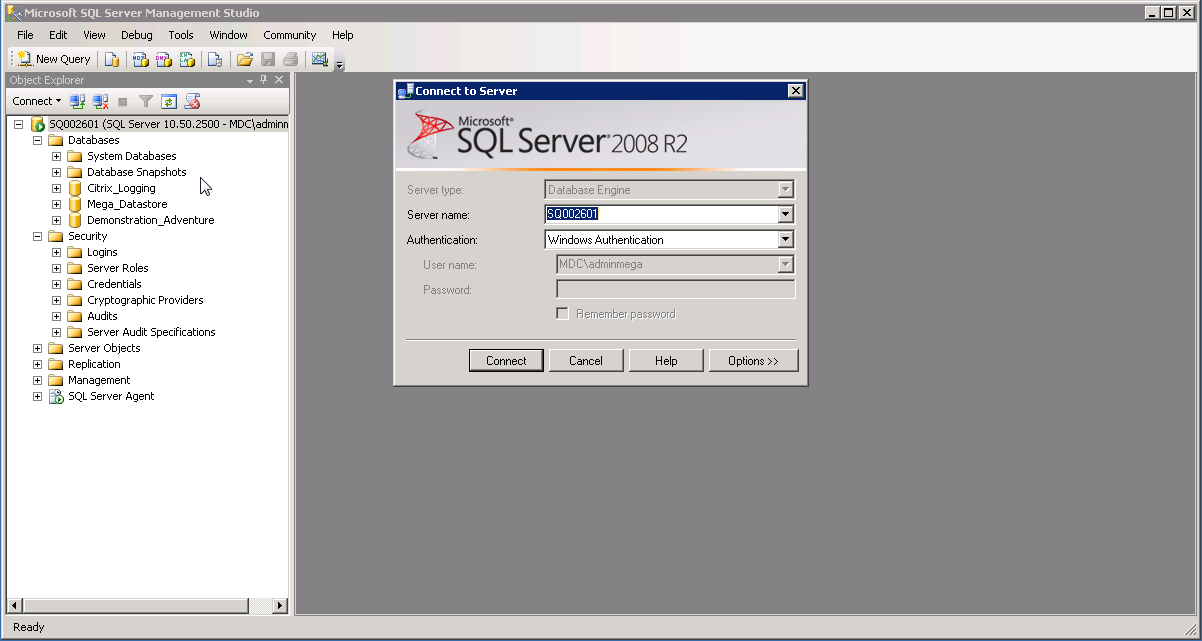
4. In the left pane, expand Security file.
5. Right-click Logins and select New Login.
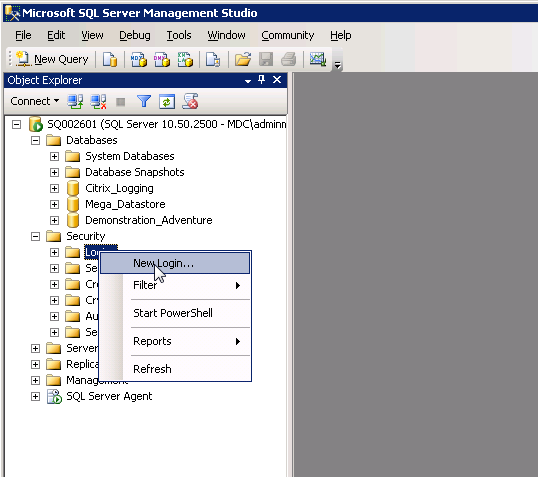
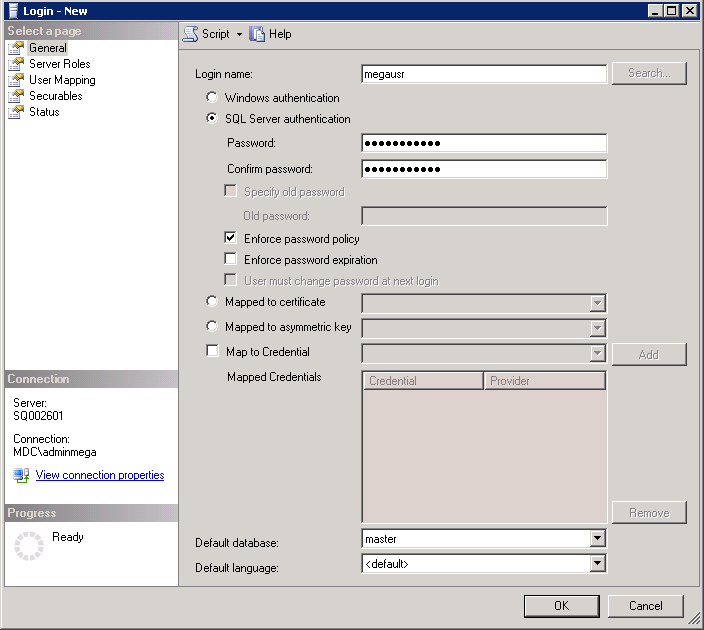
The Login - New window appears and displays and the General page.
6. In the right pane:
a. In the field Login name enter the login, for example « megausr ».
b. Select SQL Server authentication mode.
c. In the field Password, enter a password that complies with security requirements, for example :
Mega2k8!usr
7. Unselect Enforce password expiration and User must change password at next login.
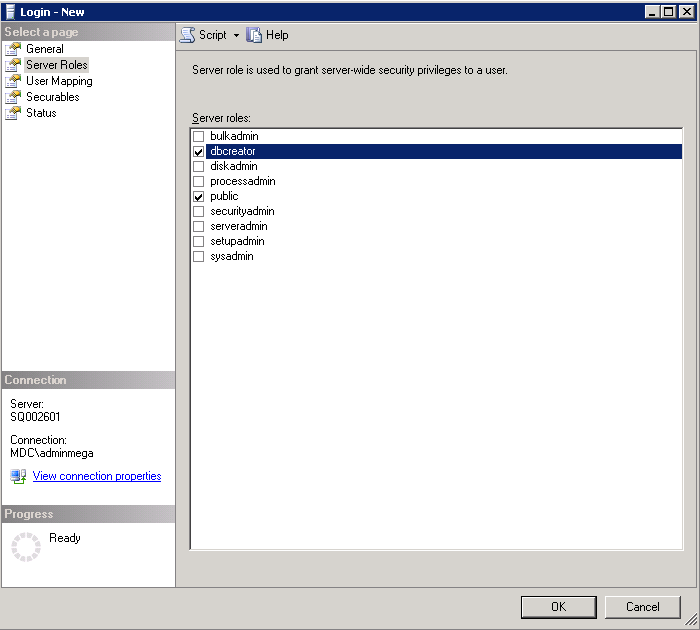
8. In the Select a page pane, select Server Roles.
9. In the right pane select dbcreator.
10. In the Select a page pane, select Securables.
11. In the right pane, click Search.
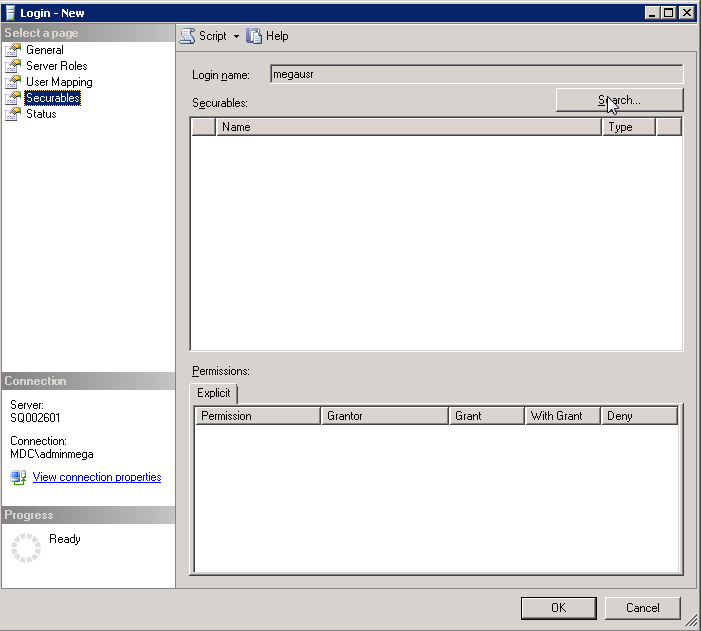
12. Select the instance to browser for its objects. Here we were on instance SQL002601 :
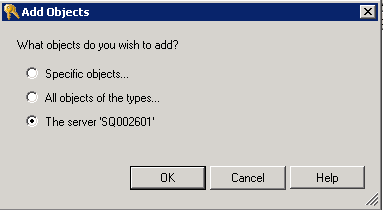
13. Click OK.
14. In the Explicit tab, for the View Server state permission select « Grant ».
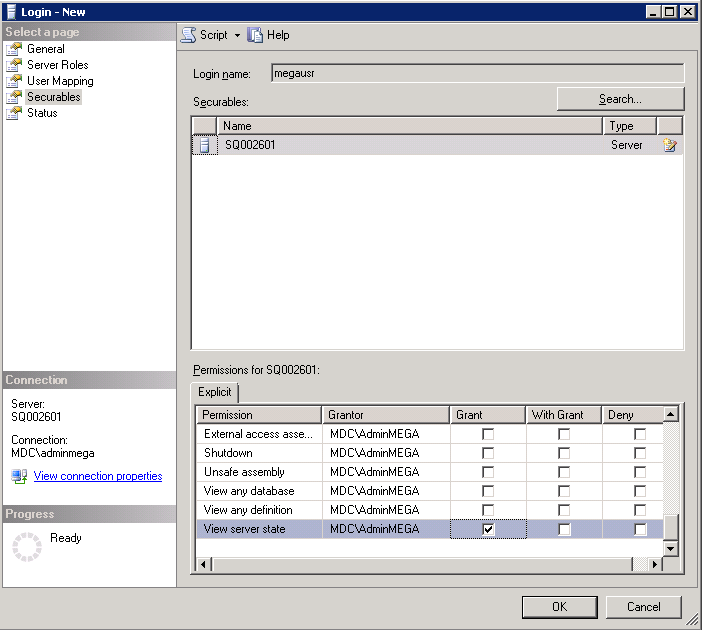
15. Click OK to create the user.