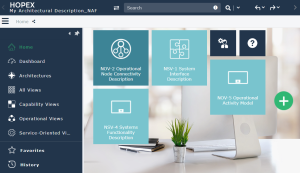
Designing NAF Architectures
Creating a NAF Architecture
To create a NAF architecture:
1. From the NAF navigation tree, right-click the "Architectures" folder and select New > Architectural description.

2. Click Next.
3. In the wizard that appears select the "NAF" working environment template.
4. Enter the Working Environment Name.

5. Click OK.
A working environment for the architecture is automatically created.
You can set an architecture as the default architecture. In so doing, all the objects created are created within the context of this architecture and are consequently contained in the working environment of the architecture. See Setting Up a Default Architecture.
Setting Up a Default Architecture
To set an architecture as the default architecture:
 In the main menu, select Switch work environment then the name of the architecture you created.
 The workspace now displays the different views of your architecture.