HOPEX Report Studio Desktop
The HOPEX Report Studio desktop includes the standard menus and tools of HOPEX desktops.
 For information regarding HOPEX desktops, see HOPEX Desktop.
HOPEX Report Studio Navigation Menus
The HOPEX Report Studio desktop includes the following navigation menus:
• Reports: to access and create reports from Report Templates
For information regarding report creation, management and customization, see Generating Documentation.• Report Definitions: includes all you need to create and customize Report Templates.
• Favorites: for a quick access to your favorites and shared favorites
• History: for a quick access to all of the objects you have accessed (e.g.: display of their property pages) or modified
For information regarding use of standard navigation menus, see HOPEX Desktop.
Report Definitions Menus
From the Report Definitions navigation menu you can especially access, create and customize the Report Studio related definitions:
• Report Templates
• Report templates
• Report Data Views
• Report Display Contexts
• Report Styles
• Data Source Definitions including:
• Report DataSet Definitions
• TreeSet Definitions
See TreeSet Definition.• GraphSet Definitions
See GraphSet Definition.• Data Sources
• Report DataSets: to access and create Report DataSets from Report DataSet Definitions
• Queries: to generate gauge reports and create gauge Report templates
From these definitions you and other users can create and customize:
• Reports
• Report DataSets
• GraphSets
• TreeSets
For information regarding report, Report DataSet, GraphSet, and TreeSet creation, management and customization, see Generating Documentation.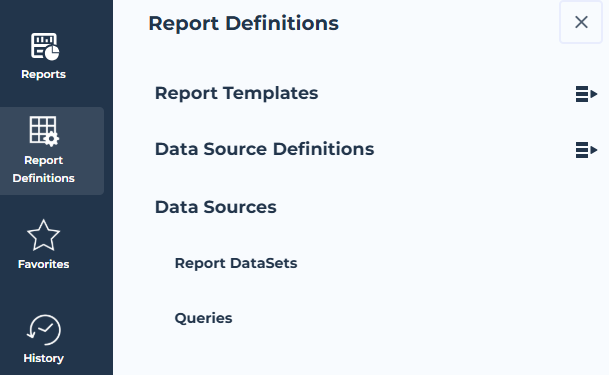
HOPEX Report Studio Homepage
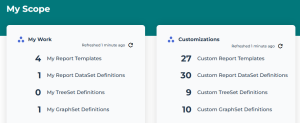
In the HOPEX Report Studio desktop homepage My Scope part displays indicators useful for direct access to:
• your work
My Work indicators give direct access to your work:
• My Report Templates
• My Report DataSet Definitions
• My TreeSet Definitions
• My GraphSet Definition
• customizations
Customizations indicators give direct access to custom work:
• Custom Report Templates
• Custom Report DataSet Definitions
• Custom TreeSet Definitions
• Custom GraphSet Definition
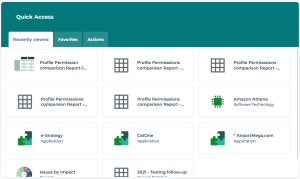
The Quick Access part also gives quick access to:
• recently viewed objects
• favorites
• actions: create a report