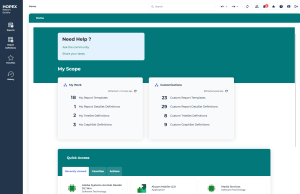
Accessing HOPEX Report Studio Desktop
Customization Dedicated Profiles
You can access HOPEX Report Studio desktop with the following profiles:
• HOPEX Customizer Publisher
The HOPEX Customizer Publisher profile is dedicated to document customization.
It enables to create Report Templates without any coding.
 Should you need to modify or create macros (e.g.: to create a MetaTest), you need to use HOPEX Customizer profile.
• HOPEX Customizer
HOPEX Customizer profile gives access to all customization features.
It enables to customize:
• Metamodel
• User Interfaces
• Documents: you should use HOPEX Customizer Publisher profile when working on Report Studio features only
For example, when creating Definitions (Report DataSet Definitions, TreeSet Definitions, GraphSet Definitions) you might need to create your own queries:
• HOPEX Customizer Publisher profile prevents you from getting, in the IntelliSense feature, all administration attributes and links, which are not of interest in that case. Only business related attributes are proposed and thus you do not get a crowded list.
• with HOPEX Customizer profile, you can still hide administration attributes and links: in Options > Repository > Metamodel, clear Display repository administration properties and links option.
Logging in to HOPEX Report Studio Desktop
To log in to HOPEX Report Studio desktop:

Once connected the HOPEX Report Studio desktop appears and a session is opened.