Customizing the Report Container Group display
Customizing the Report Container group display includes modifying:
• the Report Data View display (by default they are displayed vertically).
For example, it is useful with a number of Report Data Views to modify the display for a tab view.
• the Report Data View display order.
To customize the Report Container Group display:
1. Access the Report Container Group properties.

2. Select Characteristics.
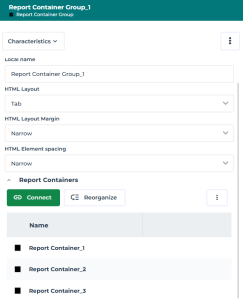
3. To define the Report Data View display, in the HTML Layout field, select:
• "Horizontal" to display the Report Data Views on the same row.
• "Tab", to display the Report Data Views in tabs.
• "Vertical" to display the Report Data Views in a single column (by default).
4. To modify the Report Data View display order, in the Report Containers section, click Reorganize  and drag and drop the Report Containers to the required place.
and drag and drop the Report Containers to the required place.5. Click OK.
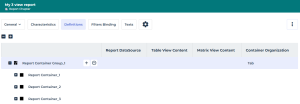
In the Report Chapter properties, its Definition page gives an overview.
E.g.: the Container Organization shows its "Tab" display.