Defining Namespaces
To include a MetaClass in a namespace:
1. Check that you are in "extended metamodel" mode.
2. Open the Properties window of the MetaClass concerned.
3. In the MetaAttribute tab, click Connect  to connect the Generic Local Name MetaAttribute.
to connect the Generic Local Name MetaAttribute.A dialog box prompts you to execute a query to find the MetaAttribute concerned.
4. Execute the query and connect the Generic Local Name MetaAttribute.
5. Select the MetaAssociation tab, then the MetaOppositeAssociationEnd subtab.
6. Select Active for the Local Name Behavior property of the MetaAssociationEnd displayed in the tab.
The MetaClass is now in a namespace, with "::" as default separator.
Customizing the separator
To customize the separator, you must modify NameSpaceSeparator in the MetaClass Properties window. You can use:
• a simple string to replace "::".
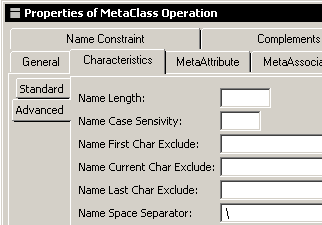
• a string containing the expressions "%M" and "%S".
• "%M" indicating the namespace (the parent)
• "%S" indicating the object in the namespace (the child)
 Respect character case.
 When the form of separator with expressions "%M" and "%S" is used, certain query by name functions cannot be used.
Complementing specification of the MetaAssociation used for the namespace
So that deletion of the namespace also deletes the objects owned by this namespace:
 Connect the MetaAssociation between the MetaClass and its namespace using a "Hierarchy" link type.This option is recommended.