Importing Objects in HOPEX IT Business Management
HOPEX IT Business Management provides an Excel file template for bulk importing objects into the repository.
Downloading the Excel Import Template
The Excel import template is available in the HOPEX Store.
To download the file:
1. Connect to the HOPEX Store.
2. Click Modules.
3. Search for the ITBM Excel Import Template.
4. Select the template and click Download.
Template description
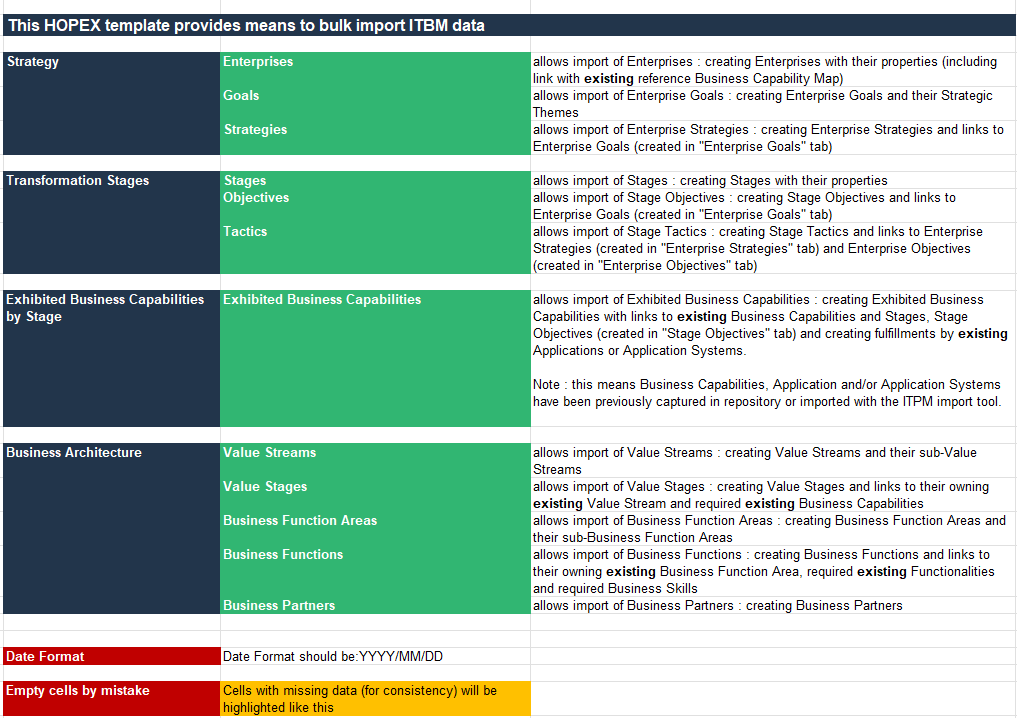
The file enables bulk import of the following object types:
• Strategy objects: enterprises, goals, strategies.
• Transformation objects: stages, objectives, tactics, exhibited business capabilities.
• Business architecture objects: value streams, value stages, business function areas, business functions, business partners.
The different types of objects concerned are presented in dedicated sheets.
The _README sheet details the object import: