Actions on an Object in a Diagram
The actions available on an object in a diagram depend on the display mode of the diagram in which you are working (edit mode or view mode).
When you click an object in a diagram:
• in view mode, you access the pie menu of the object.

•  to access the object properties.
to access the object properties.•  to add a review note to an object.
to add a review note to an object. See Review Notes.
•  to access the diagrams describing the object
to access the diagrams describing the object•  to access the diagrams containing the object
to access the diagrams containing the object• in edit mode, you access:
• the object pop-up menu
• the object properties
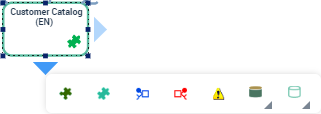
• the object specific toolbar
In a relational diagram in edit mode, using a table, a key, a column, an index, a physical view.
For more details on opening diagrams, see:
See also: Objects in a Diagram.