Exporting a List of Objects to Excel
You can export an object list to an Excel-format file without using the Export wizard.
To export objects and the displayed attributes:
1. From a list, select the objects that interest you.
 See Handling Lists.
2. In the menu bar of the list, click More  > Excel
  .
.
> Excel .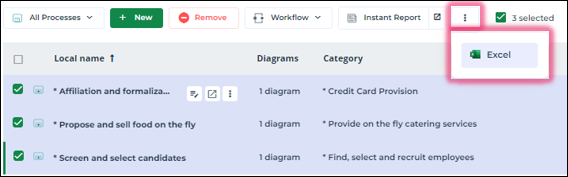
The Excel file shows the exported objects in rows and some of the editable attributes in columns. This file cannot subsequently be imported again into HOPEX.