The Parts
In a class diagram, a part represents a role played by an instance of a class or component at execution of a task.
A part belongs to a class. Ownership is specified on the link of the part.
In the example below, the “Order” class comprises the “Person” class.
The part is owned by the “Order” class and references the “Person” class.
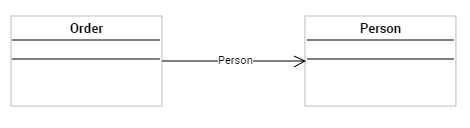
Creating a Part between two Classes
A part is a directional link that connects two classes only.
To build an part between two classes:
1. In the objects toolbar of the class diagram, click Part.
2. Draw a link from the owner class to the referenced class.
The name of the part is automatically defined.
Defining the Identifier of a Class via a Part
In the example below, the identifier of the “Oder line” class can be defined from the “Order” class through the “Order line” part.
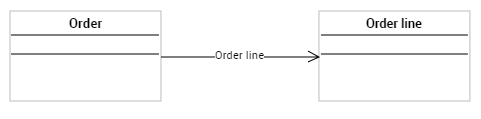
To define the identifier of the “Order line” class:
1. Display the properties of the “Order line” class.
2. Select the Identifier page.
3. Right-click the Members folder and select Connect > Part.
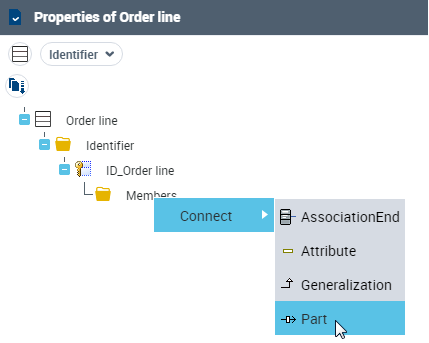
4. Select the proposed part.
5. Click OK.
Multiplicities of the Associated Classes
With multiplicities you can specify the minimum and maximum number of instances linked by the part.
Example: 1 order comprises 1 or several order line(s).
Multiplicity of the class referenced by the part
The multiplicity of the referenced class must be indicated on the part link.
To define the multiplicity of the referenced class:
1. Right-click the part link.
2. Select Multiplicity then the desired value.
Multiplicity of the owner class of the part
To define the multiplicity of the owner class of the part:
1. Right-click the part role associated with the owner class.
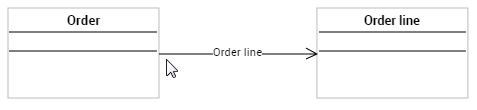
2. In the pop-up menu that appears, select Multiplicity then the desired value.
Aggregation and Composition Relationships
On the part that links two classes, you can define an aggregation or composition relationship.
 Aggregation is a special form of association, indicating that one of the entities contains the other.A composition is a strong aggregation where the lifetime of the components coincides with that of the composite. A composition is a fixed aggregation with a multiplicity of 1.
To define a composition or an aggregation link between two classes:
1. Right-click the part.
2. Select Whole/Part then the desired value:
• Aggregate
• Composite
Associated multiplicities
The following table presents the multiplicities automatically associated with aggregations and compositions.
Corresponding multiplicity | Example | ||
|---|---|---|---|
Composition |  | 1 | 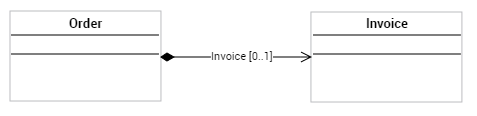 1, 1..* |
Aggregation |  | 0 / 1 | 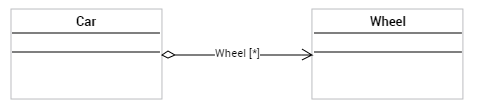 0..1, 1..* |
None |  | * | 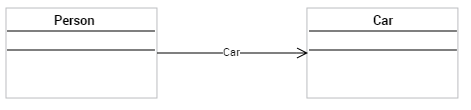 *, * |