OV-1 High-Level Operational Concept Graphic
OV-1 Description
|
Model
|
Description
|
|---|---|
|
OV-1
|
The high-level graphical/textual description of the operational concept.
|
For more information see the DoDAF web site OV-1: High Level Operational Concept Graphic
OV-1 HOPEX implementation
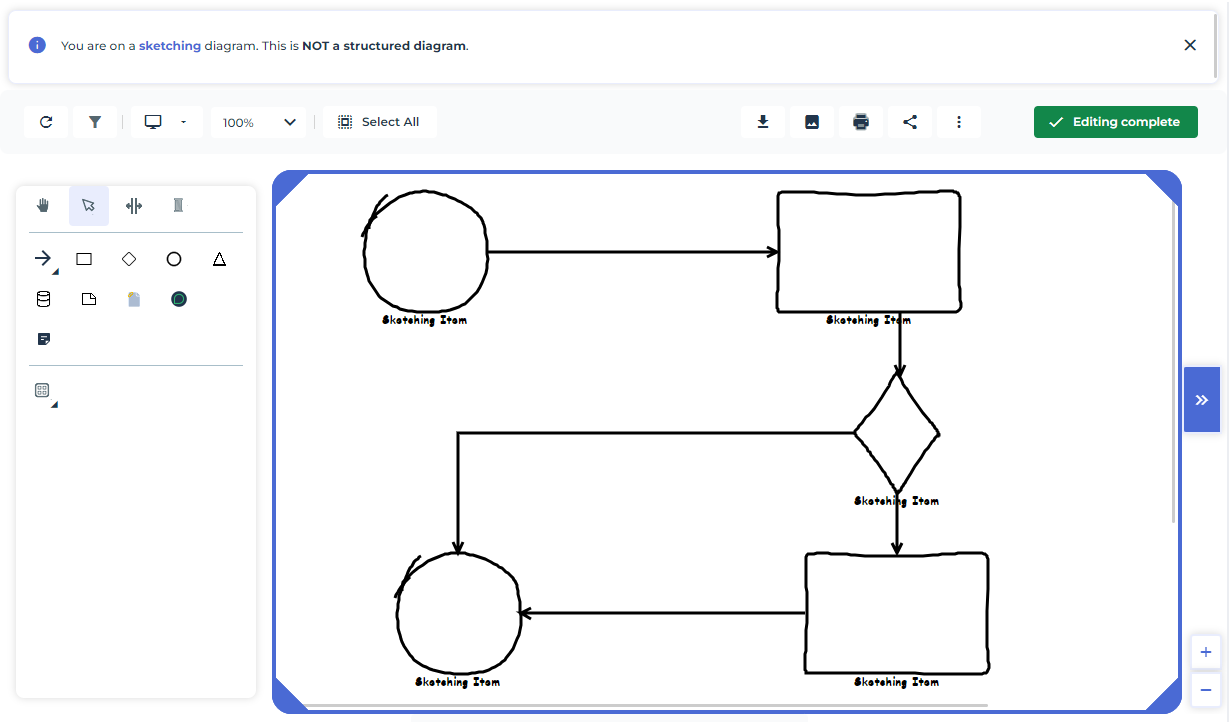
HOPEX enables you to draw diagrams freehand and connect the shapes to objects of the repository.
The OV-1 uses sketch diagrams.
Creating a Sketch Diagram for OV-1
To create a sketch diagram:
1. Click Operational Viewpoint > OV-1 High-Level Operational Concept Graphic > Operational Concept Graphic.
2. In the workspace click New.
3. Right-click the object created and click New > Sketching.
A sketch diagram appears.
Shapes available in sketching diagrams
Sketching diagrams consist of the following:
• Sketching items
• Rectangle 
• Rombus
• Circle 
• Sketching links 
Mapping a sketching item with a repository object
You may associate items of sketch diagrams with repository objects representing elements of the architecture.
To map sketching items with repository objects:
1. Open the properties of a sketching item.
2. Under Characteristics, from the Enterprise Model Element field, connect a repository object.
The sketching item appears in the form of the object type selected.
 To associate a sketching item with a repository object, you can also drag-and-drop an object from a navigation tree.
Attaching business documents
You may need to attach an external document to the sketching diagram (for example a Powerpoint file).
To do this:
1. In the properties of the sketch unfold the Documentation section.
2. In the Business Document tab, click New.
3. Indicate the location of your file, select a business document pattern among those available and click OK.
You can choose to create business documents directly in the corresponding tile of the OV-1 Viewpoint. Then you can connect them to the different sketches as appropriate.Note you can also create external references in the sketch property page (for instance to specify a useful URL) or to use MS Word reports already available in HOPEX).Viewing business documents in a hierarchy
You can view the business documents you have associated to a sketching diagram (as well as external references and MS Word Reports) in a tree.
To view business documents associated to sketching diagrams:
1. In the navigation bar, click Operational Viewpoint > OV-1 High-Level Operational Concept Graphic > Operational Concept Hierarchy.
2. Expand "the Sketch folder".