DIV-2 Logical data Model
DIV-2 Description
Purpose of DIV-2
Model | Description |
|---|---|
DIV-2 Logical Data Model | The documentation of the data requirements and structural business process (activity) rules. In DoDAF V1.5, this was the OV-7. |
Detailed Description of DIV-2
See the DoDAF web site: DIV-2: Logical Data Model
DIV-2 consists of the documentation of data requirements and structural business process (activity) rules.
Links with Other Viewpoints
DIV-1 is used as an input to DIV-2. For more information, see DIV-1 Conceptual Data Model
DIV-2 HOPEX Implementation
Packages Hierarchy View
This tree view displays business dictionaries owned and imported by the current enterprise.
Data Dictionaries
To clearly organize information relating to logical data, HOPEX uses package mechanisms.
 A package partitions the domain studied and the associated work. It enables grouping of various elements, in particular use cases and classes. A package can also contain other packages. Packages are interconnected through contractual reports defining their interface.
The package allows you to classify elements referenced in a project. You can create sub-packages in a package to classify objects in finer detail, for example actors of a project.
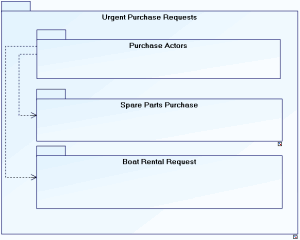
Urgent purchase requests are provided to process purchase of spare parts and boat rental requests. In both of these cases, users are actors of the purchasing domain.
Logical Data Maps
This tile displays logical data maps which contain logical data map components.
When creating the (logical) data map diagram, you can specify the default package or select another one. In the diagram you can specify the internal and external data areas included in the scope of the data map.
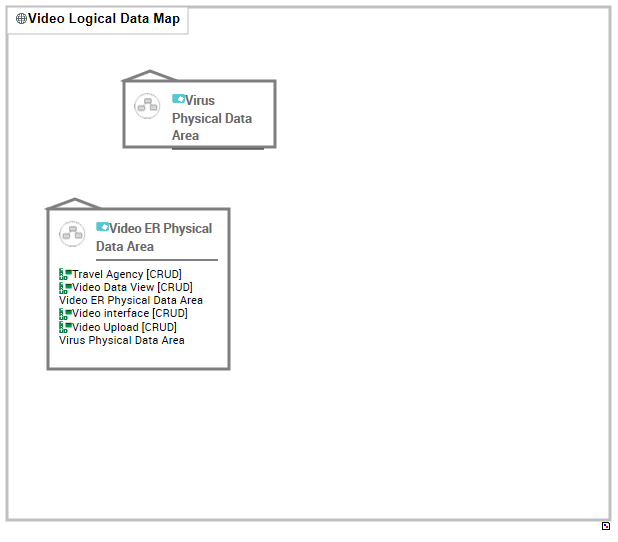
Example of a Data Map Diagram
System Data Areas
You can create two types of diagrams from system data areas:
• System Data Area Entity Diagram: see DIV-2 Data Domain Entity Diagram
• IDEF1X diagram: see IDEF1X Data Area Diagram
Data Views
For Order management, you must retrieve the delivery address available for each Client. To take into account only this information, you will create a view of the Client class that uses only the delivery address.
 For more information, see Logical data views in the following section: "HOPEX Information Architecture : IA Logical Layer : Logical Data Architecture : Data views".