Incident Impacts
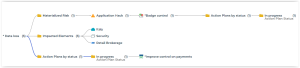
This report is displayed in the form of a dendrogram illustrating the impacts of an incident.
 For general information on incidents, see Collecting Incidents .
Path
To access this report:
1. In the navigation bar, select Incidents.
2. Open the incident properties and in the Reporting page, select Incident Impacts.
Illustration
Dendrogram
Report parameter
|
Parameter
|
|---|
|
1 Incident
|
Report Content
This report indicates:
• Action plans, by status and priority
• the Causal analysis (risk factors and consequences)
• The Materialized risk, with:
• information on the last assessments
• controls connected to the risk
• action plans by status and priority
• the Failed control, together with:
• information on the last assessments (last control level)
• action plans by status and priority
• Impacted elements
• Entity
• Process category
• Processes
• Application
• Technology
• Server
• Site
• Data center
• Facility
• Business line
• Product
Report example
To view information about an impacted element:
 Hover the mouse over this element to display a tooltip.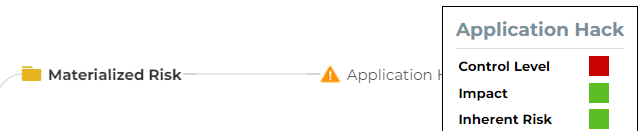
To display elements in a branch:
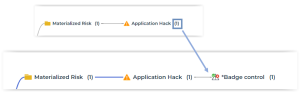
Click the number which is displayed next to an item.The tree expands.