Generating an Application Environment Report
Application Environment Graph of an application
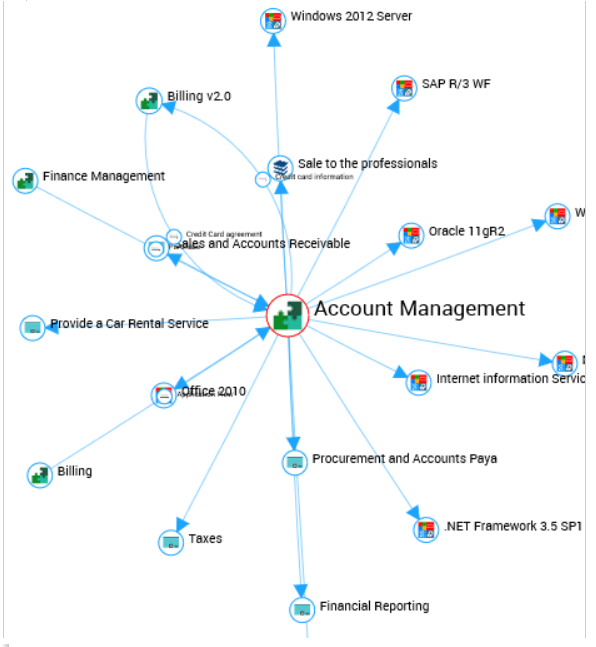
The “Application environment graph” report presents links between an application and its environment. Components appearing in the graph can be applications, installations, technologies, functionalities, consumer org-units or process categories linked to the application.
To open the environment graph of an application:
1. Select the application to display its properties.
2. In its properties window click the Reporting page.
3. In the report list, select Architecture > Application Environment Graph.
The report consists of four report chapters:
• Exchange and Content: displays data flows between the application and other applications. See also Application Exchange Graph for a set of applications.
• Installation and Use :displays the sites that host the application. See also Managing Application Installations.
• Functional scope: displays the objects that define application functional coverage. See also Defining Application Functional Scope.
• All the Environment: provides a complete view of the application environment. The Layers option associated with the graph allows you to filter the display according to the desired viewpoint (functional scope, installations or data flows).
Application Exchange Graph for a set of applications
You can generate an Application Exchange Graph from a selection of applications to see their connecting links.
To generate an Application Exchange Graph on a set of applications:
1. Display the application list, for example from the Applications navigation menu.
2. In the list displayed, select the applications and click Instant Report.
3. Select the Exchange Between Applications instant report type.
4. Click OK.
The instant report opens in the edit area.
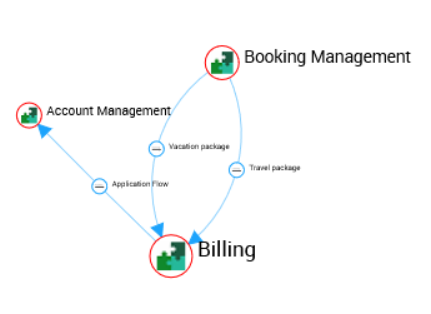
This report displays:
• in the form of nodes: the selected applications
• In the form of an arc: the flows that connect the applications. When there are several flows between applications, they are grouped within the same arc.
You can filter display:
• by content: it is the exchanged data, defined in the application properties. See Specifying Data Exchanged With Other Applications.
• by context: this concerns application flow scenarios, which you can create if you have the HOPEX IT Architecture application.
For more visibility an option available under the report allows you to hide applications without link.