Importing Objects in HOPEX IT Portfolio Management
HOPEX IT Portfolio Management provides an Excel file template for bulk importing objects into the repository. You can also use this template to export data from the HOPEX repository.
Downloading the Excel Import Template
The Excel import template is available in the HOPEX Store.
To download the file (HOPEX Aquila version):
1. Connect to the HOPEX Store.
2. Click Modules.
3. Search for the ITPM Excel Import Template for Hopex Aquila template.
4. To the right of the template presentation page, click All versions.
5. Select the “HOPEX Aquila” version.
Template Description
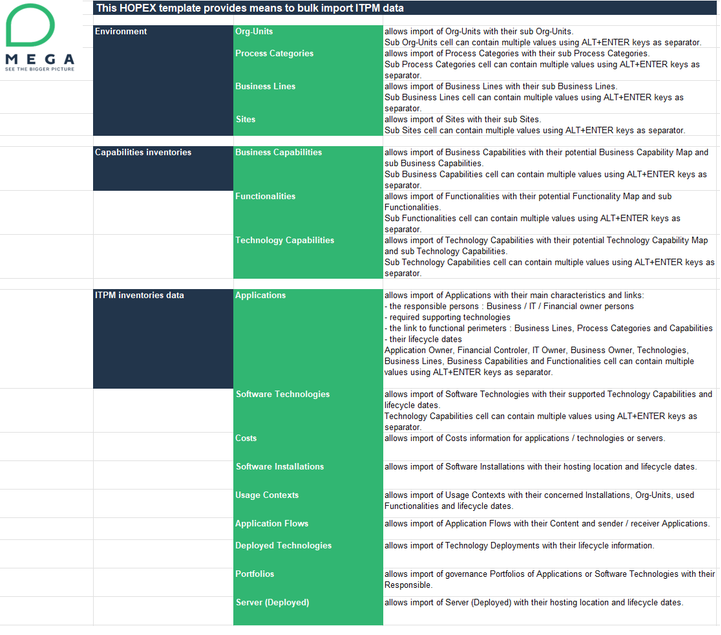
The file enables bulk import of the following object types:
• Environment objects: org-units, processes, business lines, sites.
• Capability inventory: business capabilities, functionalities, technical functionalities.
• Application asset inventory: applications, technologies, costs, software installations, usage contexts, application flows, deployed technologies, portfolios, deployed servers.
The different types of objects concerned are presented in dedicated sheets.
Example: the "Application" sheet is used to define applications and their properties (type, code, owner, etc.).
The _README sheet details the object import: